You wrote List<string> straight out of a C# tutorial. The Unity editor goes red with an error you've never seen.
Your syntax isn't wrong. Udon just doesn't support it.
Without being able to tell the difference, you rewrite correct code over and over. This article covers the limits you'll hit most, and how to work around them.

What You'll Learn
- Why the limits exist
- The four you'll hit most
- The
DataListalternative- How to check availability yourself
Start from having tried methods and custom events.
The limits exist because it's being translated
C# written in UdonSharp isn't what actually runs.
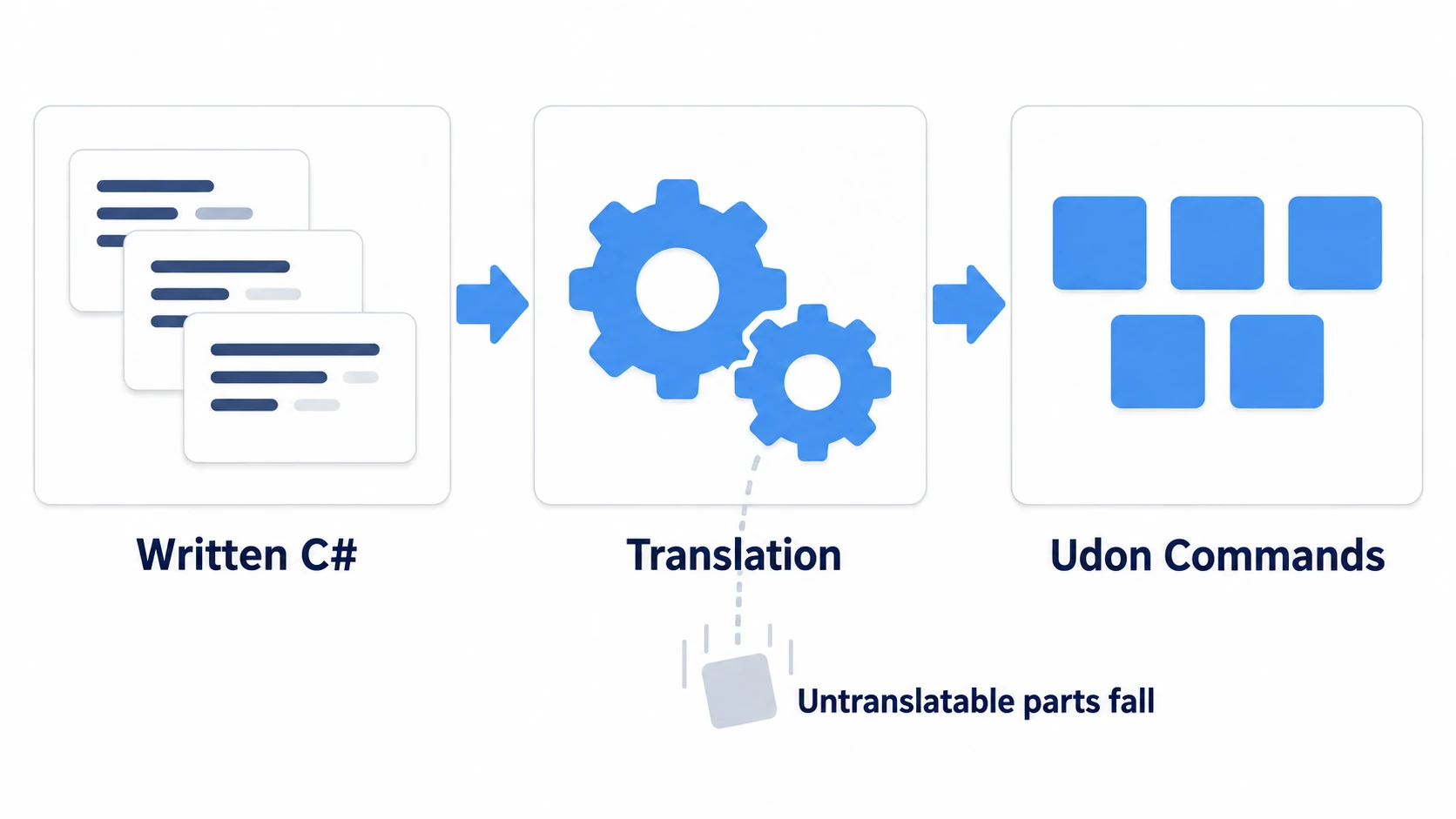
Your code is first translated into instructions for a system called Udon. What runs is the translated form.
So anything with no corresponding instruction on the target side can't be carried across. Whether it's correct C# is beside the point. A word that isn't in the dictionary can't be translated.
With that understanding, errors land differently. Instead of "my syntax is bad," you start asking "is this translatable?"
The four you'll hit most
You don't need to memorize a list of limits. Four are what you'll actually hit.
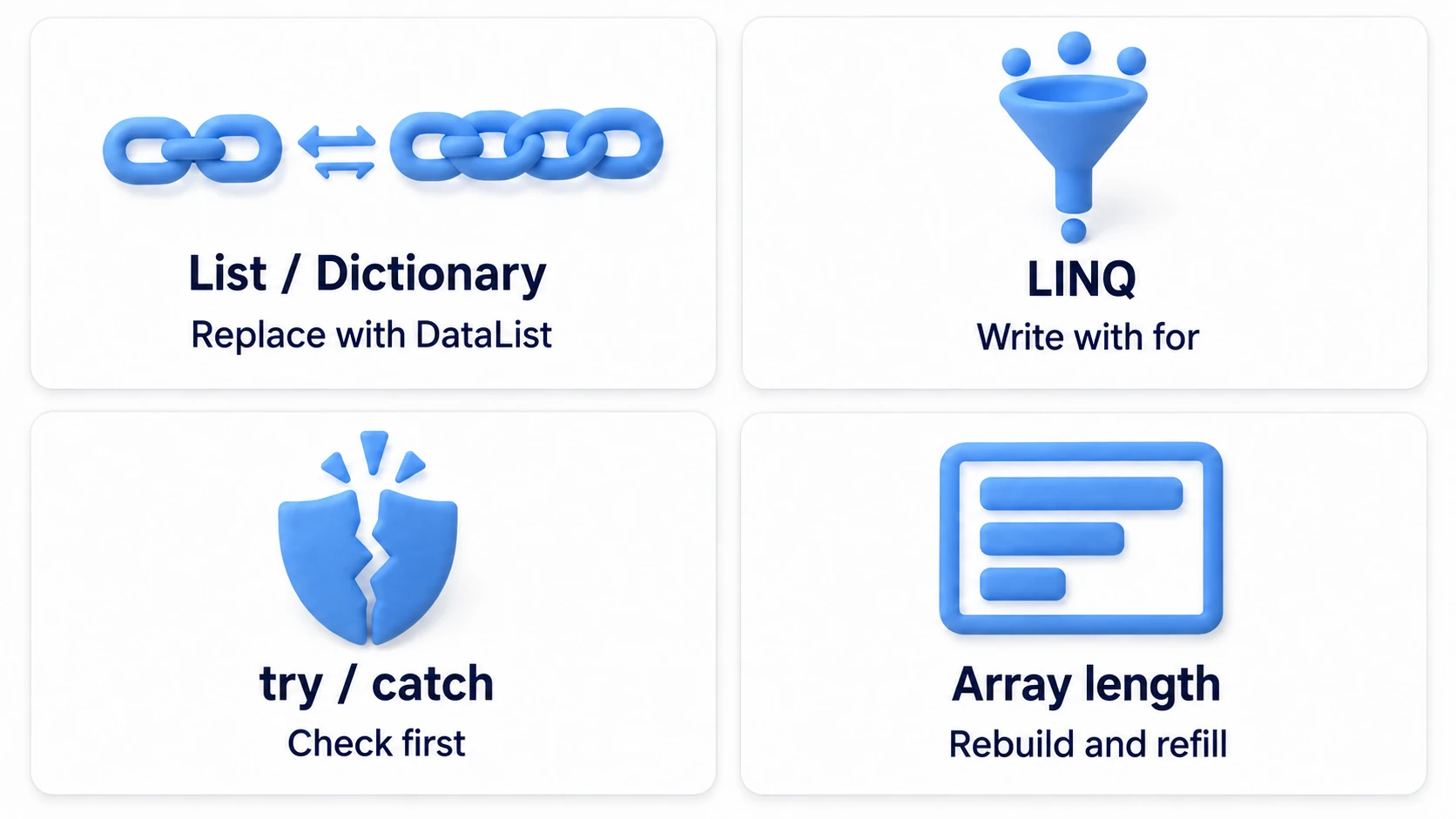
| Not available | Use instead |
|---|---|
List<T>, Dictionary<K,V> | DataList, DataDictionary |
LINQ (Where, Select, and friends) | Write it with for |
try / catch | Check null and ranges beforehand |
| Changing an array's length | Make a new array and copy across |
The first row is by far the most common. Inventories, participant lists, score records. Anything with a changing length brings you here.
VRChat provides DataList and DataDictionary for exactly this. They feel almost the same, so the swap isn't hard.
The other three have simple responses too.
// Rewrite LINQ as for
int total = 0;
for (int i = 0; i < scores.Length; i++)
{
    if (scores[i] > 0) total += scores[i];
}

// Instead of try-catch, check first
if (target != null && index >= 0 && index < items.Length)
{
    // Safe to use
}
No try / catch feels unnerving until you get used to it. But world building deals with objects and values you prepared yourself. Checking for null and range beforehand covers it in practice.
Hands-On: Build an inventory with DataList
Build a mechanism where picking up three items on the floor lists your inventory on a board.
1. Place the items and the board
Place the following in a scene with a floor.
| Name | How to make it, and settings |
|---|---|
KeyItem, MapItem, LampItem | Cube. Three lined up on the floor. Scale (0.2, 0.2, 0.2) |
BagCanvas | UI Canvas (World Space). (0, 1.8, 3), Scale (0.004, 0.004, 0.004) |
BagText | TextMeshPro as a child of BagCanvas |
BagRoot | Create Empty. (0, 0, 0) |
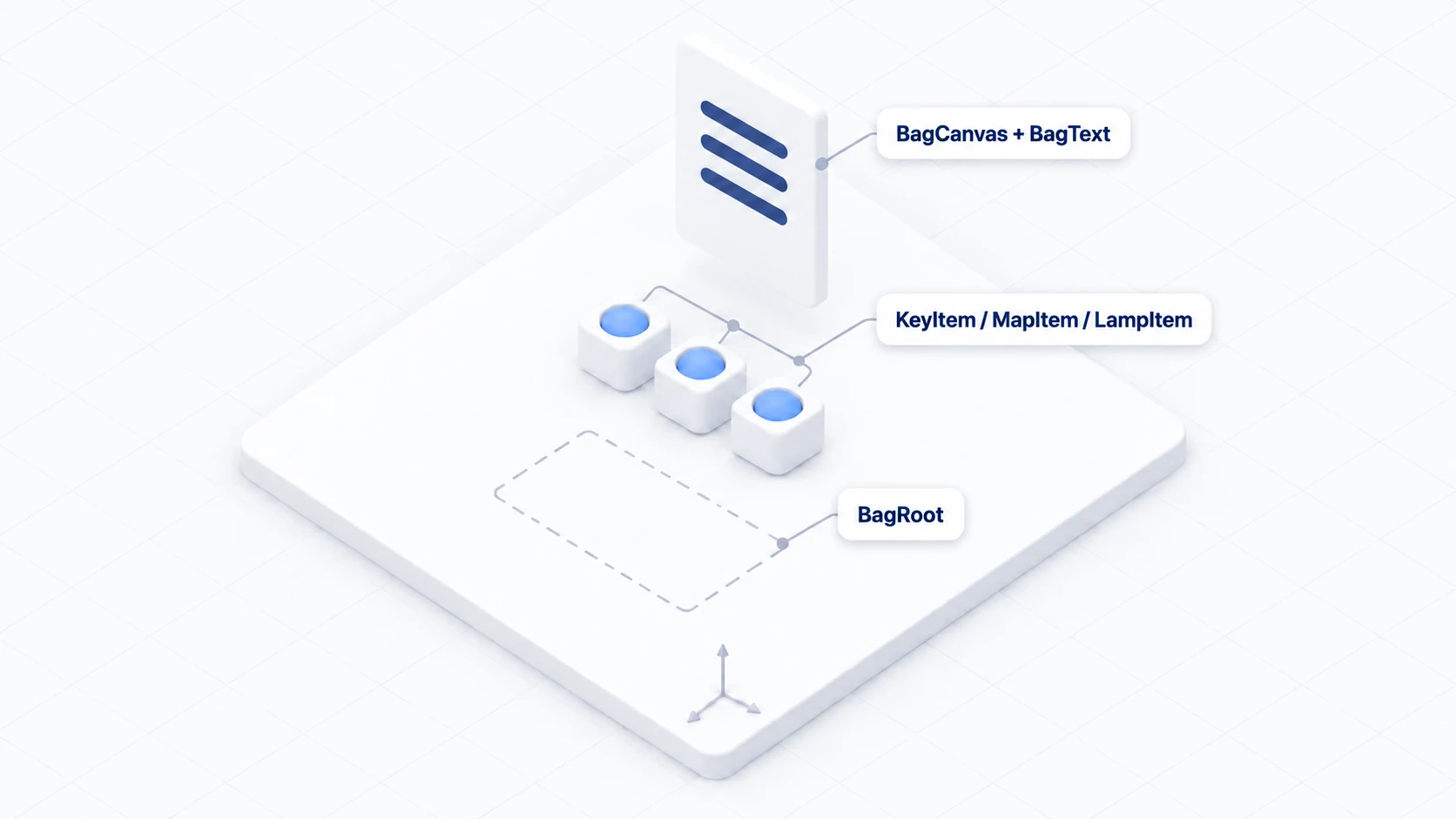
Add VRC Pickup to each of the three items so they can be grabbed.
2. Write the container
Create ItemBag in Assets/Scripts.
using UdonSharp;
using UnityEngine;
using TMPro;
using VRC.SDK3.Data;

[UdonBehaviourSyncMode(BehaviourSyncMode.None)]
public class ItemBag : UdonSharpBehaviour
{
    [SerializeField] private TextMeshProUGUI display;

    private DataList items;   // In place of List<string>

    private void Start()
    {
        items = new DataList();
        Refresh();
    }

    public void AddItem(string itemName)
    {
        items.Add(itemName);   // No need to worry about length
        Refresh();
    }

    private void Refresh()
    {
        string text = "Inventory: " + items.Count + "\n";

        for (int i = 0; i < items.Count; i++)
        {
            // Getting values out goes through a DataToken
            if (items.TryGetValue(i, TokenType.String, out DataToken token))
            {
                text += "- " + token.String + "\n";
            }
        }

        if (display != null) display.text = text;
    }
}
All that changed is List<string> becoming DataList. Add() and Count have the same names, and the for loop is unchanged.
The difference is going through a DataToken on the way out. A DataList can hold various types, so you specify "I want this as a string."
If the type doesn't match, TryGetValue returns false. That form carries the weight of not having try / catch.
3. Write the item side
Create BagItem in Assets/Scripts.
using UdonSharp;
using UnityEngine;

[UdonBehaviourSyncMode(BehaviourSyncMode.None)]
public class BagItem : UdonSharpBehaviour
{
    [SerializeField] private ItemBag bag;
    [SerializeField] private string itemName = "Key";

    public override void OnPickup()
    {
        if (bag != null) bag.AddItem(itemName);
        gameObject.SetActive(false);   // Disappears once picked up
    }
}
Attach it to each of the three items, set Bag to BagRoot, and set Item Name to Key, Map, and Lantern.
Attach ItemBag to BagRoot and drag BagText into Display.
4. Confirm
Press Play and pick up the three items in turn.
| Order | Action | Board display |
|---|---|---|
| 1 | Pick up nothing | Inventory: 0 |
| 2 | Pick up the key | Inventory: 1 and - Key |
| 3 | Pick up the map | Inventory: 2 and - Key, - Map |
| 4 | Pick up the lantern | Inventory: 3 and three lines |
Not one line worries about array length. What you wanted from List<T> works as-is.
Check availability yourself
When you want to use a new method, you can check ahead of time.
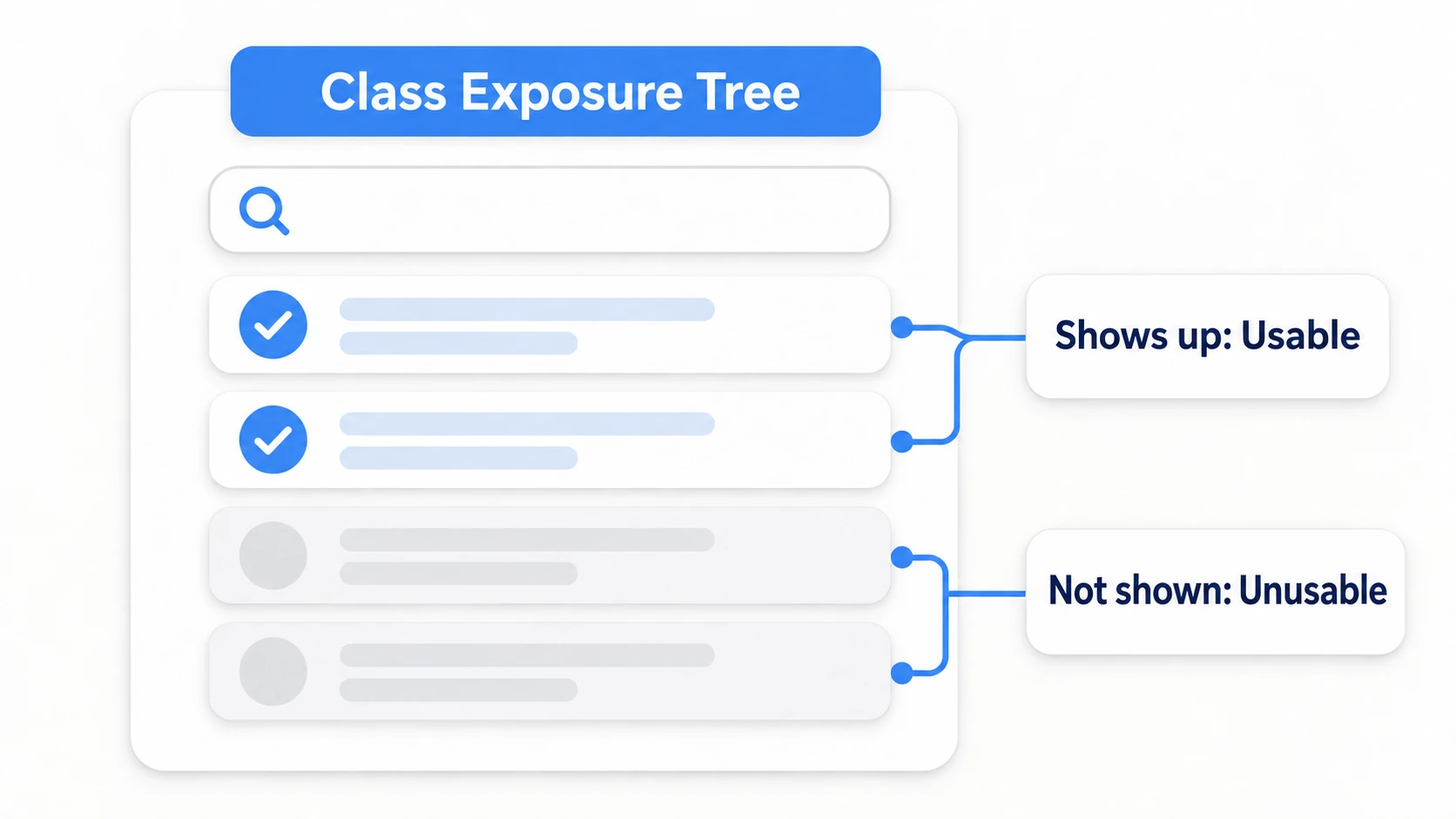
Open VRChat SDK → Utilities → Class Exposure Tree from Unity's menu. It's the list of classes and methods reachable from Udon.
Using it is simple.
- Type a class or method name into the search field
- If it appears, it's usable. If not, it isn't
It also helps isolate the cause of an error.
| What the error looks like | What to suspect |
|---|---|
| It names a type or method, and the syntax is correct C# | An Udon limitation |
Misspelling, missing ;, unmatched braces | Your own mistake |
An Inspector assignment is None | Neither a limit nor a mistake, just configuration |
When you can't tell, delete that one line. If it compiles, it's a limitation; if not, the cause is elsewhere.
Bonus: Good to Know Up Front
- DataDictionary exists too: Use
DataDictionarywhen you want lookup by name. It hasContainsKeyandTryGetValue, and feels close toDictionary - Go easy on string concatenation: Joining with
+works, and building strings every frame gets heavy. Build them only when the display changes - An array is often enough: When the count is fixed from the start, a plain array is the lightest and most dependable. Reach for
DataListonly when the length changes - Read the official samples: The samples included in the SDK are, by definition, all written in ways that work. When in doubt, copying the shapes there is the fast route
- Limits loosen over time: SDK updates make some things available. An older article saying "not usable" may compile fine today
Summary
Udon's limits are a question of translatability.
- Correct C# still won't run when Udon has no instruction for it
- The four you'll hit most are
List, LINQ,try-catch, and variable-length arrays ListandDictionaryare replaced byDataListandDataDictionary- Availability is checkable in the Class Exposure Tree
The question to ask when you see an error is: "Is this a C# syntax problem, or a translatability problem?" Splitting those points you straight at the fix.
To chase down why something doesn't work, go to fixing it when nothing works. To make your mechanisms lighter, go to making Udon lighter.