You want to hand out balls to visitors. One comes out per press, and it goes back on the shelf when they're done.
Unity instincts reach for Instantiate, but in VRChat objects created on the spot aren't visible to everyone. Anything you want synchronized and shared has to be placed in the scene ahead of time.
This article builds a shelf that lends out three balls and takes them back.
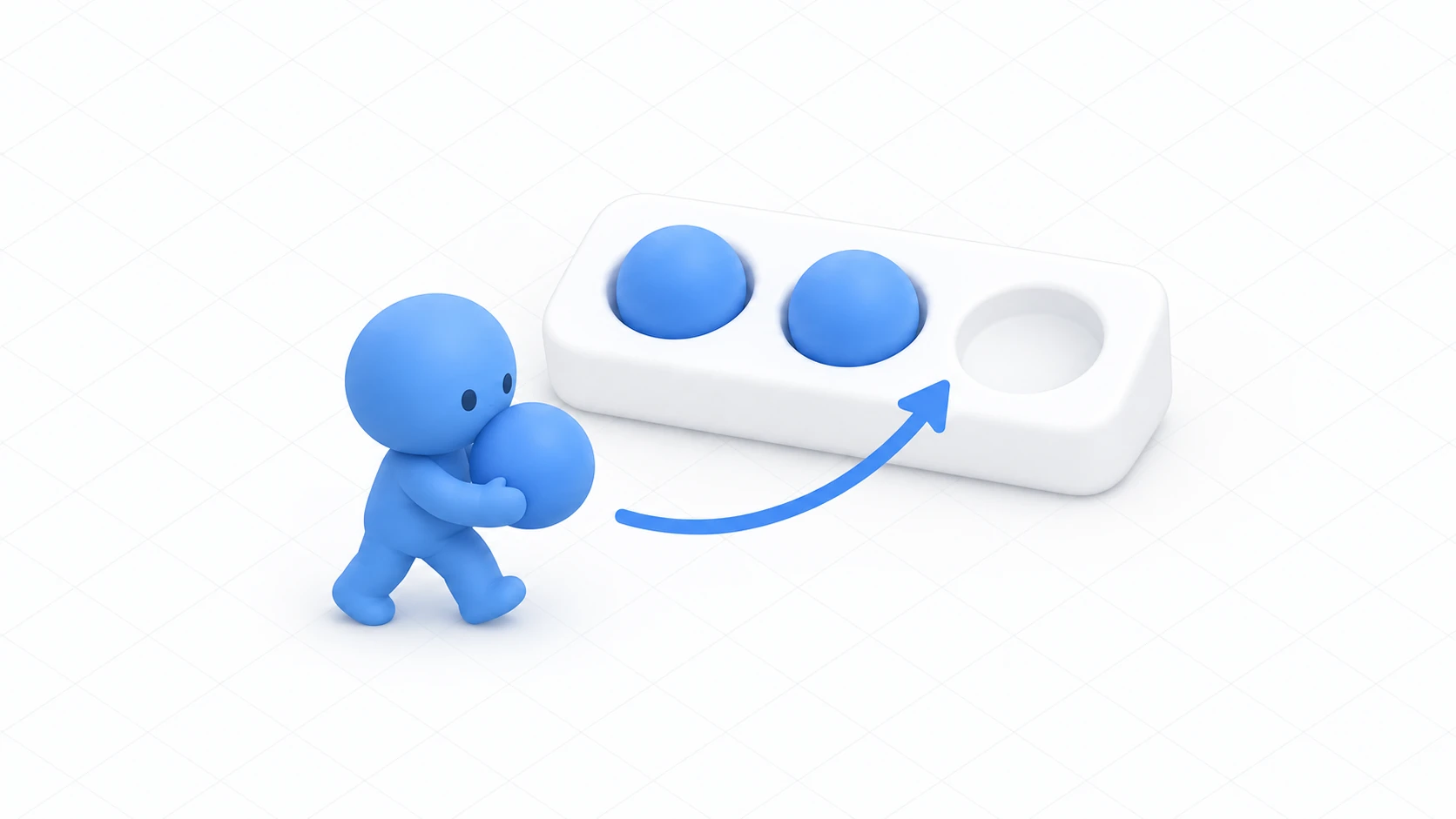
What You'll Learn
- The idea of revealing hidden objects rather than creating them
- That only one person, the owner, can check them in and out
- How to convey an empty shelf
- Why you reset position on return
Start from having tried understanding ownership and network events.
Reveal hidden objects rather than creating them
VRCObjectPool is a component that toggles pre-prepared objects between active and inactive. It isn't creating anything new.
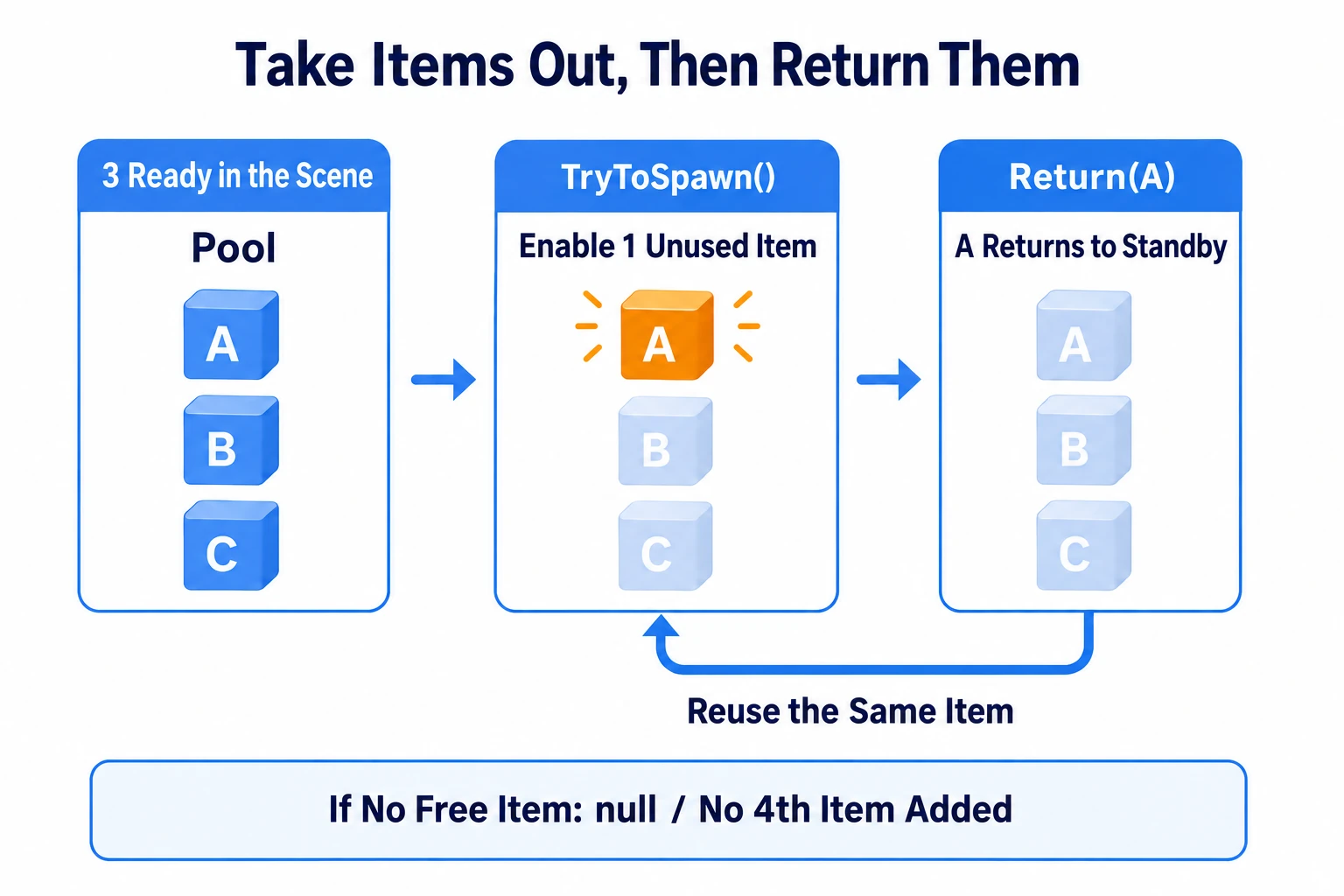
Picture three balls in a storeroom. Take one off the shelf, put it back. There is no fourth.
There are only two operations.
| Method | What it does |
|---|---|
TryToSpawn() | Activates one not-yet-out object and returns it. null if none are free |
Return(target) | Deactivates it. The next TryToSpawn() can use it again |
This mechanism has three welcome side effects.
- The count can't grow on its own: "up to three" is enforced by the mechanism. Visitors pressing forever won't fill the room with balls
- It doesn't get heavy: repeatedly creating and destroying causes a hitch each time. Reuse avoids it
- It handles late joiners: VRChat synchronizes which objects are out, so arrivals see the same scene
You'll be tempted to call SetActive yourself. Don't. Toggling it yourself disagrees with what the pool believes, and different people see different things. Leave checking in and out to the pool.
One stock keeper handles the shelf
Ownership matters here.
TryToSpawn() and Return() only take effect for the pool's owner. Called by anyone else they return null and nothing happens. No error either.
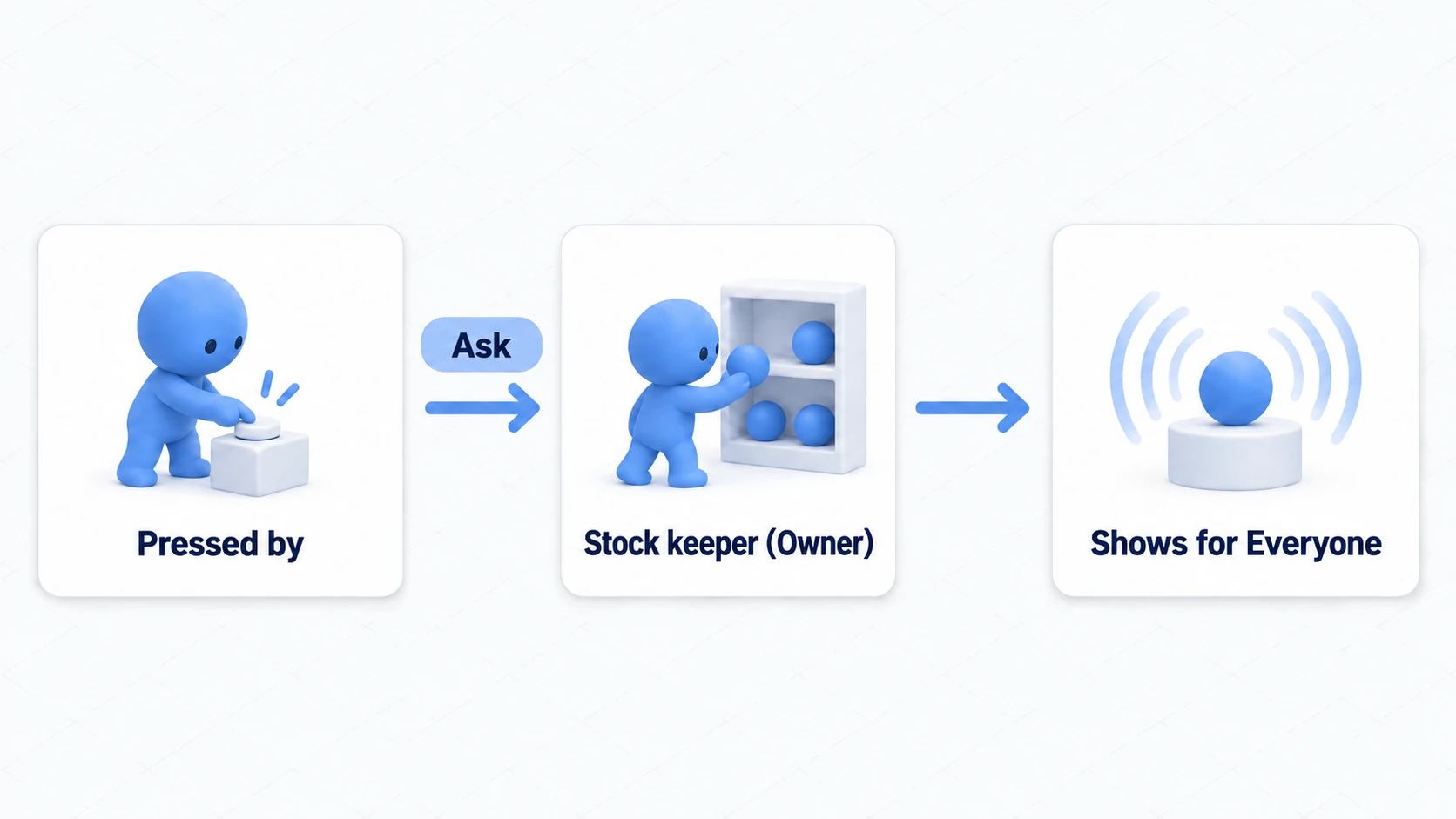
So the division of roles looks like this.
The person who pressed doesn't dispense — the room's stock keeper does.
Visitors just ask "please dispense one." The asking is exactly the NetworkEventTarget.Owner used in network events.
// What the presser does: send a request to the owner
SendCustomNetworkEvent(NetworkEventTarget.Owner, nameof(LendBall));
Why not "the presser takes ownership and then dispenses"? So that two simultaneous presses don't produce a fourth ball. With one counter, requests get processed in order.
One more caution. The pool's owner and a ball's owner are different. The stock keeper handles the shelf; the person running around with a dispensed ball handles that ball. Different roles.
Hands-On: Build a three-ball dispenser
Build a mechanism where pressing dispenses one ball to throw around, and a return button puts them all back on the shelf.
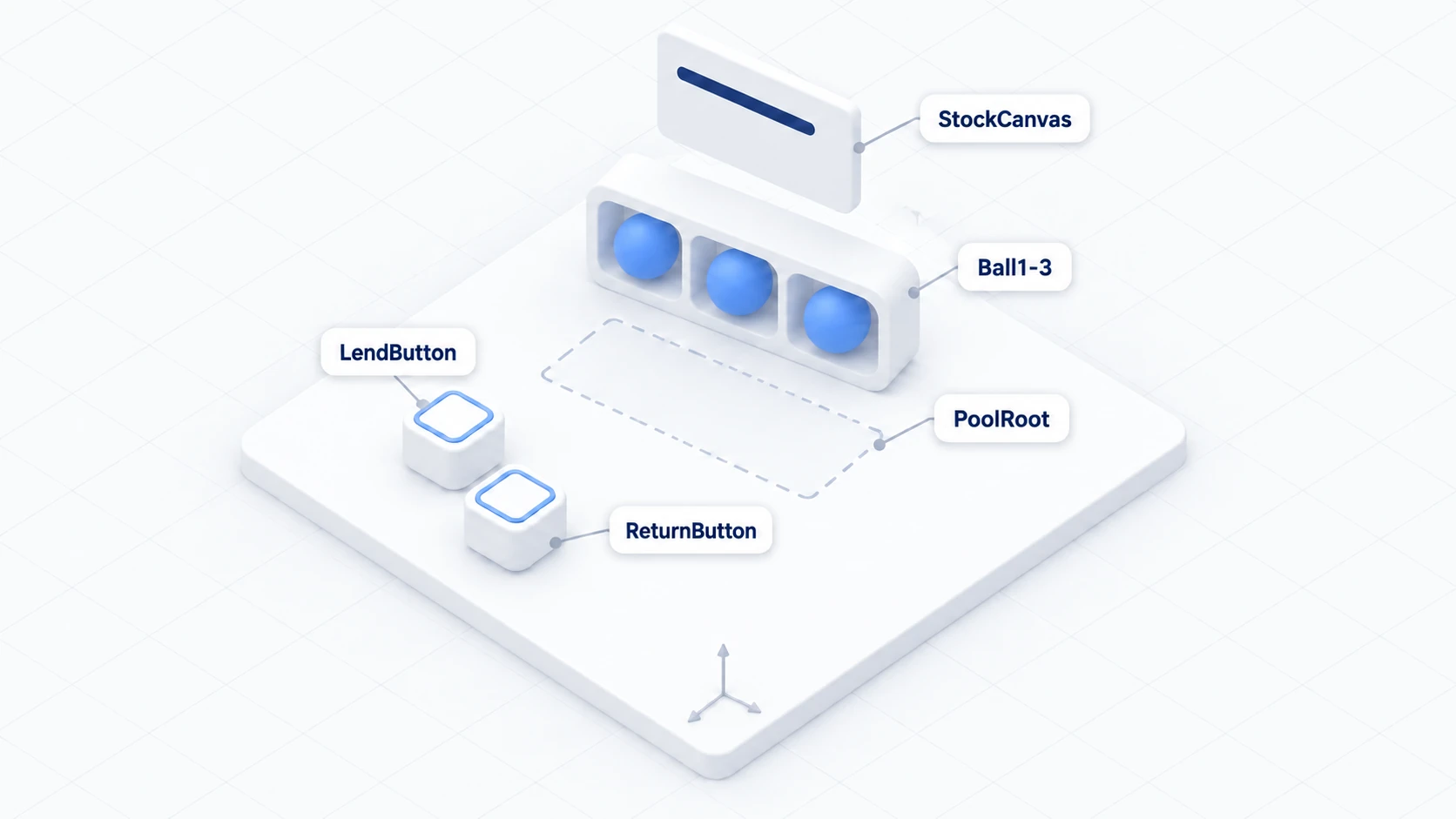
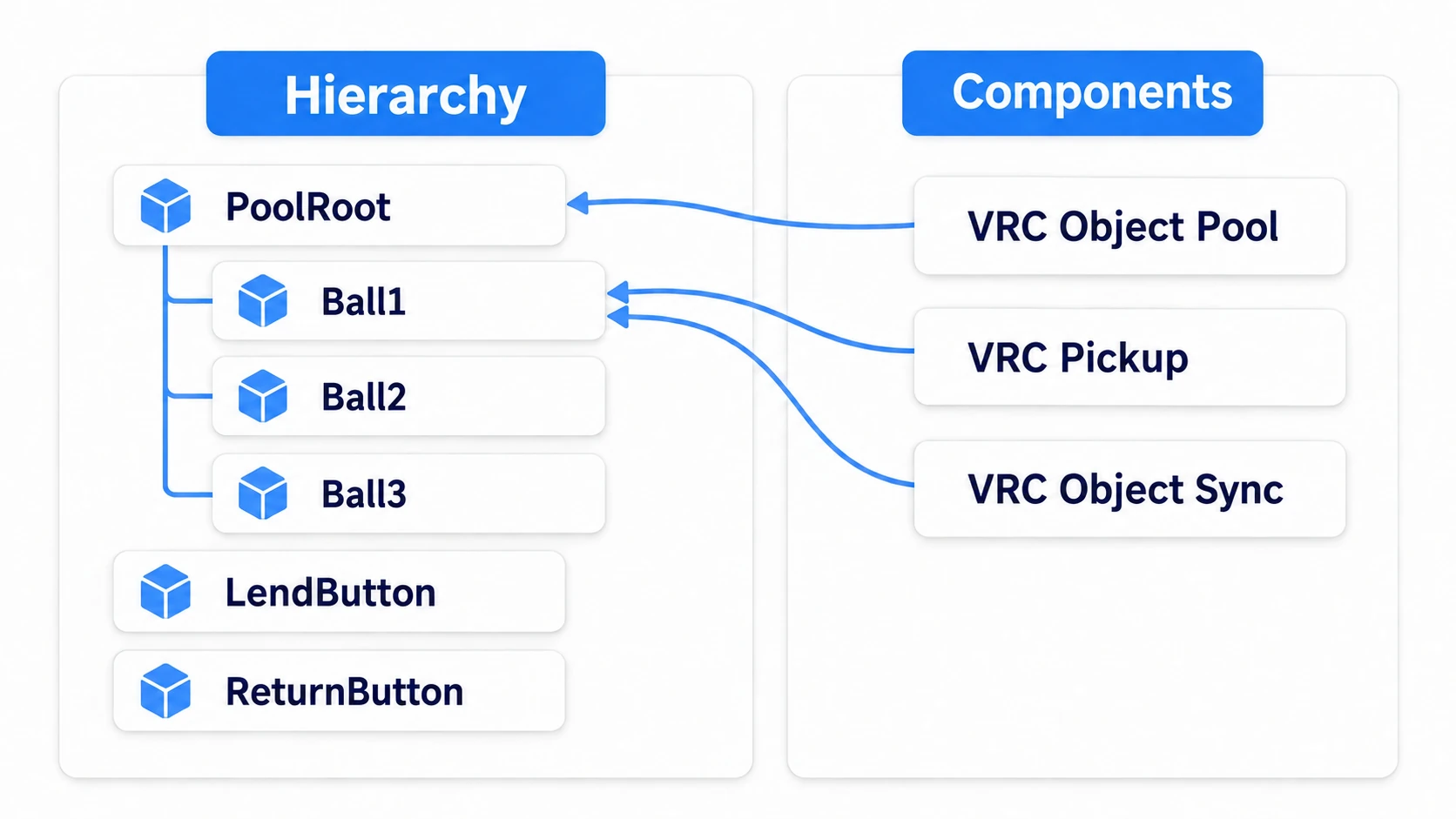
1. Place the balls and the shelf
Place the following in a scene with a floor.
| Name | How to make it, and settings |
|---|---|
PoolRoot | Create Empty. (0, 0, 0) |
Ball1 Ball2 Ball3 | Sphere. Children of PoolRoot. (0, 1.2, 2) (0.3, 1.2, 2) (0.6, 1.2, 2), Scale (0.2, 0.2, 0.2) |
LendButton | Cube. (-1, 1, 1), Scale (0.4, 0.4, 0.4) |
ReturnButton | Cube. (-1, 0.5, 1), Scale (0.4, 0.4, 0.4) |
StockCanvas | UI Canvas (World Space). (0, 1.8, 2), Scale (0.005, 0.005, 0.005) |
Create a TextMeshPro as a child of StockCanvas and name it StockText. The remaining count goes here.
Add the following to each of the three balls.
- VRC Pickup (a Rigidbody comes with it)
- VRC Object Sync
That makes them throwable with shared positions — the same structure as VRC Object Sync.
Disable all three by unchecking the box at the top left of the Inspector. Dispensing is the pool's job.
Add VRC Object Pool to PoolRoot via "Add Component," set the Pool array Size to 3, and drag in Ball1 through Ball3.
2. Write the code
In Assets/Scripts, choose "Create → U# Script" and make BallDispenser.
using UdonSharp;
using UnityEngine;
using TMPro;
using VRC.SDK3.Components;
using VRC.SDKBase;
using VRC.Udon.Common.Interfaces;

[UdonBehaviourSyncMode(BehaviourSyncMode.Manual)]
public class BallDispenser : UdonSharpBehaviour
{
    [SerializeField] private VRCObjectPool pool;
    [SerializeField] private TextMeshProUGUI stockText;

    [UdonSynced] private int remaining;

    private void Start()
    {
        if (Networking.IsOwner(gameObject) && pool != null)
        {
            remaining = pool.Pool.Length;
        }
        ApplyState();
    }

    // Called from the lend button. Works whoever presses
    public void RequestLend()
    {
        SendCustomNetworkEvent(NetworkEventTarget.Owner, nameof(LendBall));
    }

    // Called from the return button
    public void RequestReturnAll()
    {
        SendCustomNetworkEvent(NetworkEventTarget.Owner, nameof(ReturnAll));
    }

    // From here down, only the stock keeper (the pool's owner) runs it
    [NetworkCallable]
    public void LendBall()
    {
        if (!Networking.IsOwner(gameObject)) return;

        GameObject ball = pool.TryToSpawn();
        if (ball == null)
        {
            Debug.Log("[BallDispenser] out of stock");
            return;
        }

        remaining--;
        ApplyState();
        RequestSerialization();
    }

    [NetworkCallable]
    public void ReturnAll()
    {
        if (!Networking.IsOwner(gameObject)) return;

        GameObject[] balls = pool.Pool;
        for (int i = 0; i < balls.Length; i++)
        {
            GameObject ball = balls[i];
            if (ball == null || !ball.activeSelf) continue;

            // Reset the position to the shelf before putting it away
            VRCObjectSync sync = ball.GetComponent<VRCObjectSync>();
            if (sync != null) sync.Respawn();

            pool.Return(ball);
        }

        remaining = balls.Length;
        ApplyState();
        RequestSerialization();
    }

    public override void OnDeserialization()
    {
        ApplyState();
    }

    private void ApplyState()
    {
        if (stockText != null) stockText.text = remaining + " left";
    }
}
Three things to note.
Always check TryToSpawn()'s return value. null is the "out of stock" signal. Without checking, the remaining count drops while nothing comes out.
Respawn() is called before returning. Return() only hides the object, leaving its position wherever it was thrown. Without resetting, it reappears from a corner or below the floor next time.
The remaining count is held in a synced variable. VRChat synchronizes the pool's own state, and the "how many left" display is yours to build. Same shape as networking basics.
3. Wire the buttons
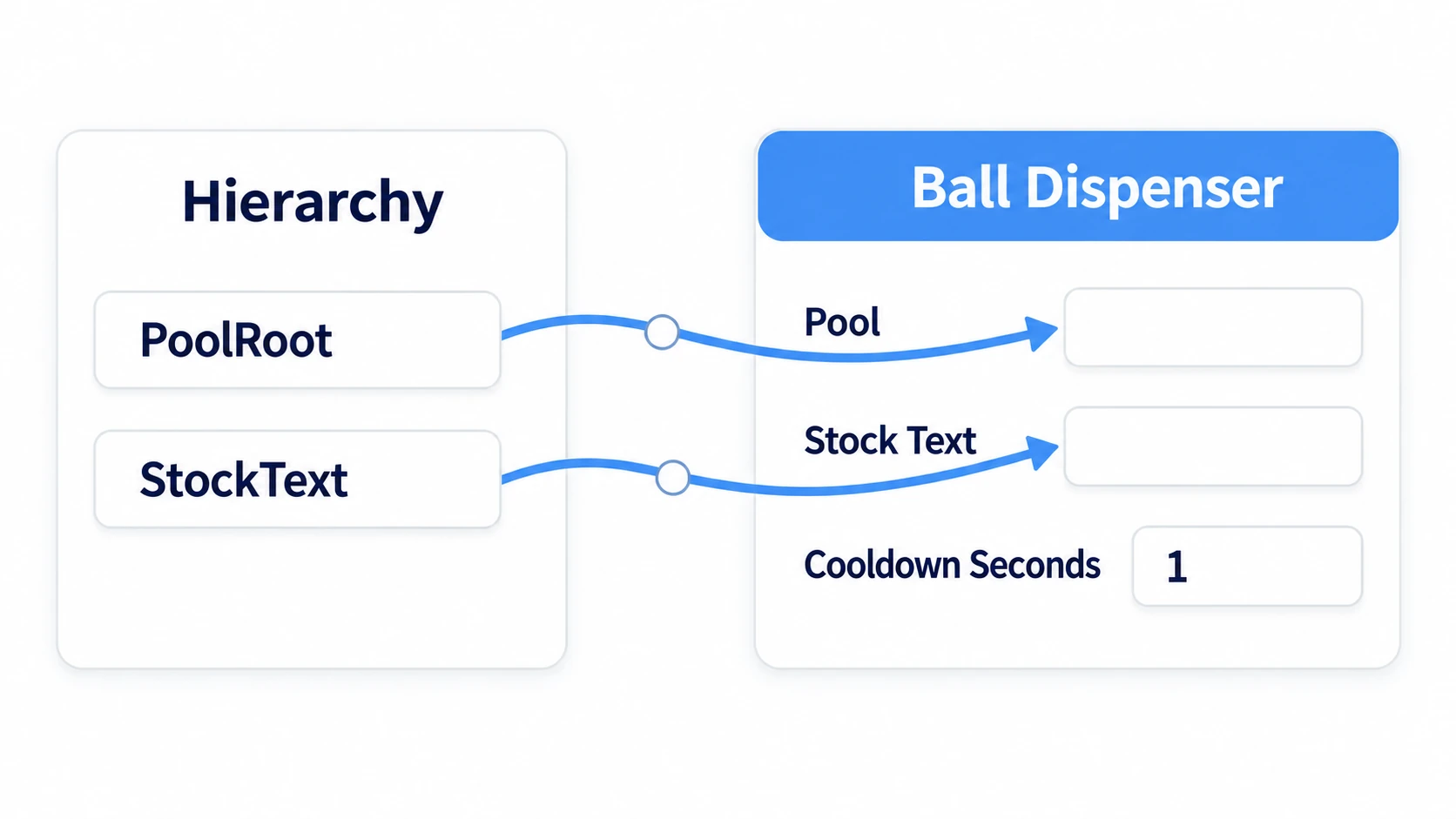
Add a Udon Behaviour to PoolRoot and set BallDispenser. Drag PoolRoot itself into Pool and StockText into Stock Text.
Put a short relay script on the two buttons.
using UdonSharp;

[UdonBehaviourSyncMode(BehaviourSyncMode.None)]
public class DispenserButton : UdonSharpBehaviour
{
    [SerializeField] private BallDispenser dispenser;
    [SerializeField] private bool returnMode;   // true for return

    public override void Interact()
    {
        if (dispenser == null) return;
        if (returnMode) dispenser.RequestReturnAll();
        else dispenser.RequestLend();
    }
}
Turn Return Mode off for LendButton and on for ReturnButton. Set Interaction Text to Borrow a ball and Return all.
4. Check with two people
Launch Build & Test with Number of Clients set to 2.
| Order | Action | Expected result |
|---|---|---|
| 1 | A and B enter | The display shows "3 left." No balls visible |
| 2 | A presses the lend button | One ball appears on both screens and it reads "2 left" |
| 3 | A grabs and throws the ball | It flies the same way on B's screen |
| 4 | Press three more times | The third comes out, then the fourth press does nothing. "0 left" |
| 5 | Press the return button | All three disappear and it goes back to "3 left" |
| 6 | B re-enters | The current number out is visible as-is |
Row 4 is the most important check in this article. With nothing in stock, pressing silently does nothing. No error.
In a real world, you'd display "all currently lent out" here, or make the button unpressable. Not leaving a button that gives no response is the kind thing to do.
Common Pitfalls
- Nothing comes out on press → Someone other than the owner is calling
TryToSpawn()directly. Send the request withNetworkEventTarget.Owner - Only you see it come out → You're calling
SetActiveon the ball yourself. Leave checking in and out to the pool - Different people see different counts out → Same cause: you're toggling active state outside the pool
- It reappears somewhere strange after returning → You aren't calling
Respawn()beforeReturn() - The remaining count is wrong → You're decrementing even when
TryToSpawn()returnednull - The request doesn't arrive → Check that
[NetworkCallable]is attached and the method ispublic
Bonus: Good to Know Up Front
- The count is fixed up front: You can't add more later. Decide "how many can be out at once" from your expected headcount and line them up in the Pool array
- Reset the contents too: Beyond position, if you changed a light or a color, reset those to their initial state. Handing the previous person's state to the next one feels off
- The stock keeper can leave safely: When the owner leaves, VRChat assigns someone else. Whoever remains takes over as stock keeper, so lending doesn't stop
- Putting it straight into a hand is a step harder: "Dispense into the presser's hand" requires telling the owner who asked. Dispensing onto a shelf for people to pick up is far simpler and more dependable
- It's useful all over: Loaner tools, launched fireworks, a shooter's bullets, event name tags. Anything with a fixed number out at once
Summary
VRCObjectPool is a shelf for checking prepared objects in and out.
- Rather than creating at runtime, you toggle pre-placed objects active and inactive
- Checking in and out works only for the owner. The presser asks the owner
TryToSpawn()returningnullmeans out of stock. Build the presentation for that case too- Reset the position before returning.
Return()only hides it
The question to ask before using it is: "How many of these need to be out at once?" If the number is fixed, a pool is the answer.
To keep each person's settings until next time, go to saving volume with PlayerData. For a mechanism that plays video, go to setting up a video player.