The floors and walls are done and the lights are in. Next you want "pressing the button at the entrance turns the lights off."
But placing a button in Unity does nothing. Adding an Animator doesn't connect to VRChat's "use" action. Somewhere along the line you need programming, and it isn't clear where that line is.
This article contrasts what SDK components alone can build against what requires Udon. We won't write code yet.
What You'll Learn
- The line between components that work on placement and situations that need programming
- How Udon, UdonSharp, and Udon Graph relate
- That code runs on each player's PC, not on a server
- Three things to know before you start writing, so you don't get stuck
The line is "does it answer the action on its own"
The VRChat SDK is something like a parts catalog for VRChat. More things work on placement alone than you'd expect.
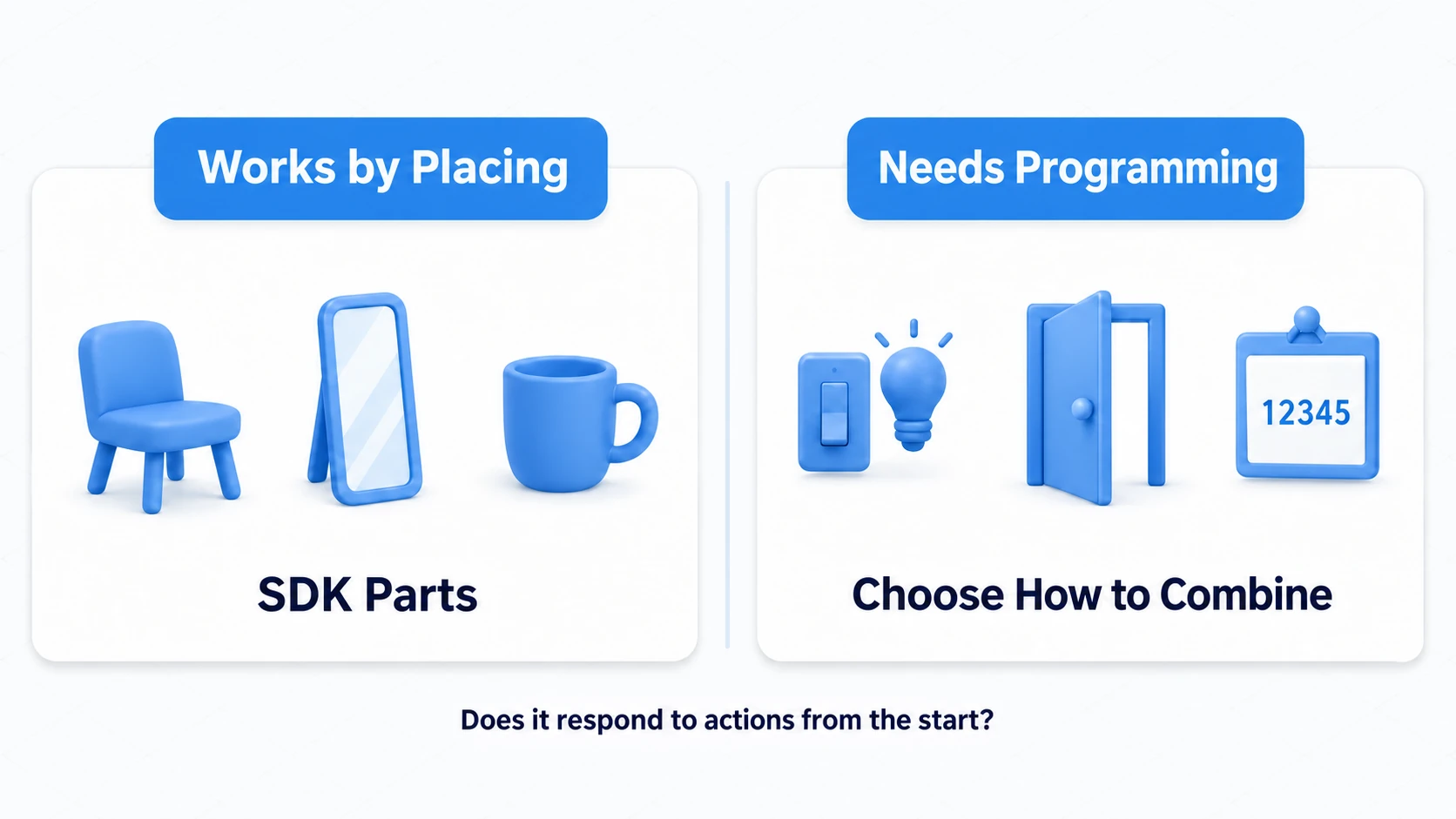
These work on placement alone:
- Floors you walk on, walls you bump into (Colliders and Rigidbodies)
- Reflecting in a mirror (VRC Mirror Reflection)
- Sitting in a chair (VRC Station)
- Picking up and throwing a cup (VRC Pickup; VRC Object Sync is also a component when sharing position)
- Spatial audio, lights, materials, Skybox
- Just placing distributed video player and gimmick Prefabs
These, on the other hand, require Udon:
- Pressing the wall switch turns off that light
- Pressing a button opens a door
- Showing an explanation panel to someone who walks in
- Counting points and showing them on a board
Lined up, the shared trait emerges. If a placed component answers a visitor's action on its own, Udon isn't needed. When you decide the combination yourself — "press this button, turn off that light" — Udon is.
Some things sit on the line. Distributed Prefabs are written in Udon inside, but you don't write anything to use them. Conversely, placing an Animator or a Unity UI button doesn't connect to VRChat's "use" action.
Search the catalog first; write it yourself only when that isn't enough. Working in that order cuts down enormously on what you have to learn.
How Udon and UdonSharp relate
Three similar names come up, so let's split them by role.
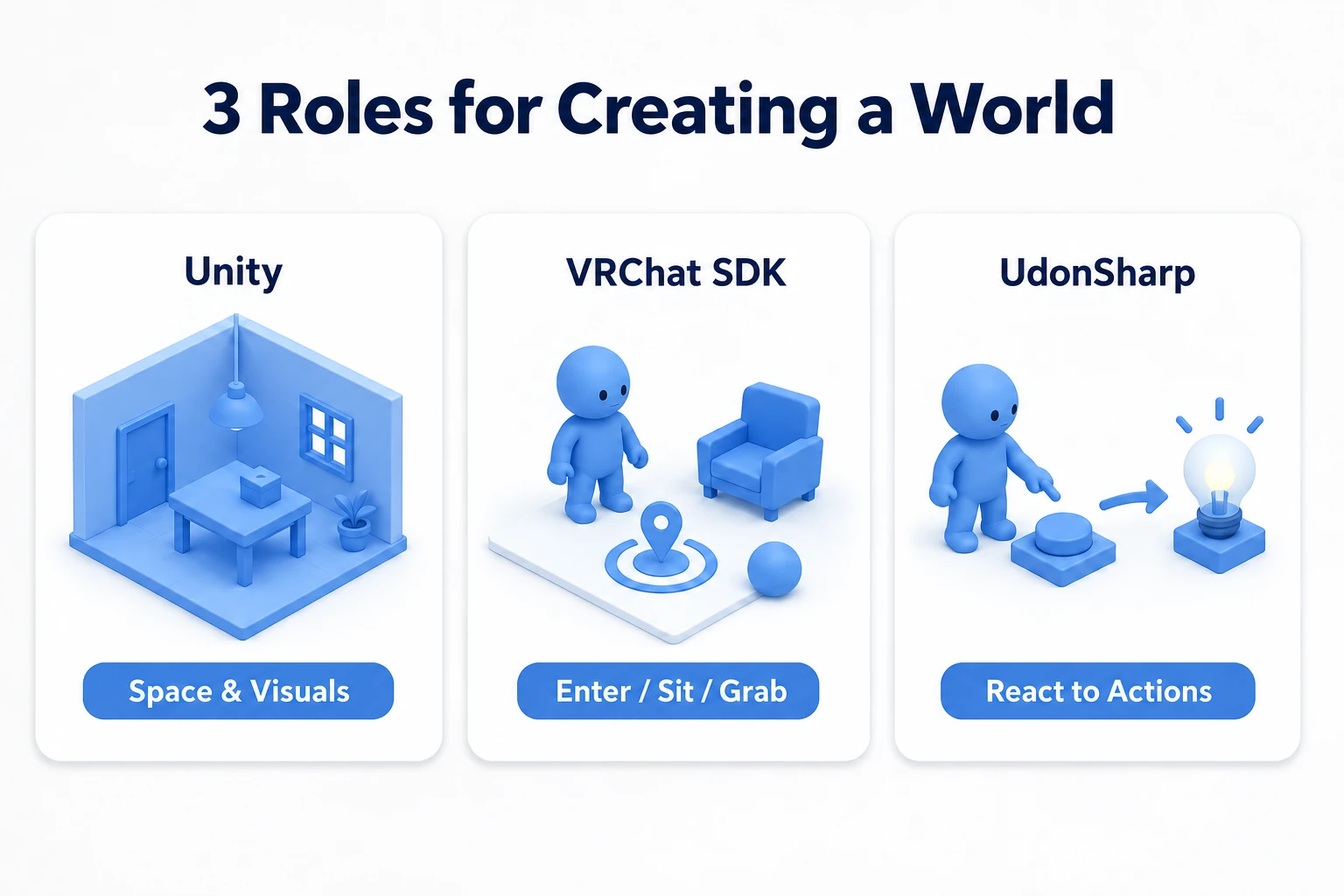
- Udon is the mechanism for programs VRChat allows to run inside a world. That's the actual thing
- Udon Graph is a way to build Udon by wiring nodes together. Picture drawing a wiring diagram
- UdonSharp is a way to write that same Udon in text resembling C#
The key point is that Graph and UdonSharp differ in how you write, while the thing that runs is Udon either way. People who started with Graph aren't in a separate world.
This series uses UdonSharp. Text is easier to hit in searches, lets you try article code directly, and makes what changed easier to see later. If an older article says "Graph is official and UdonSharp is unofficial," you can ignore that now. UdonSharp is included in the SDK.
Code you write doesn't reach VRChat as-is.
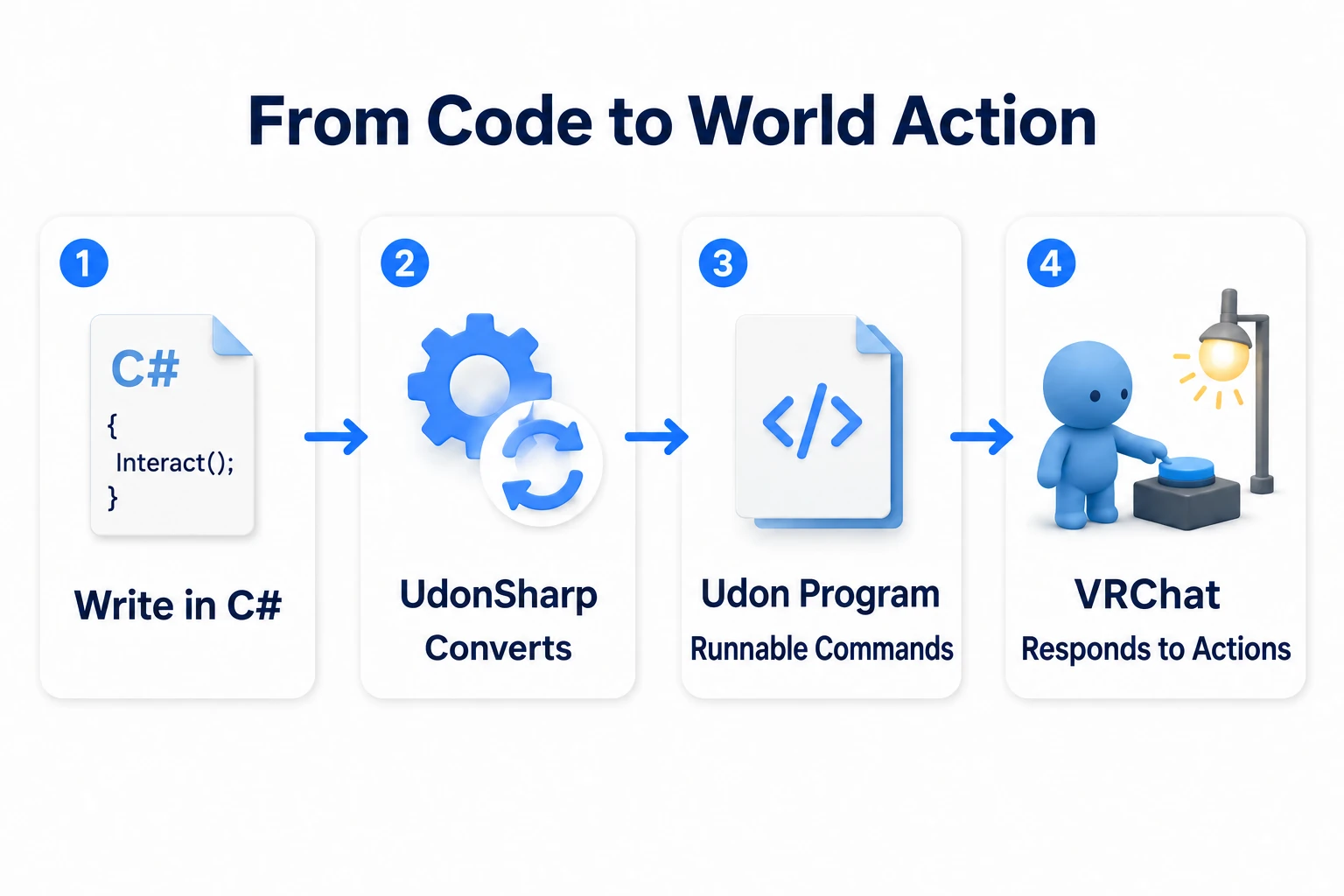
The step that converts your text into data VRChat can actually run is called compilation. It runs automatically on save, so you never trigger it yourself. The converted result only works once it's attached to an object in the scene.
Writing instructions doesn't make an appliance run. You convert them and set them into the fixture's socket. That's the relationship.
Three things to know before you start writing
Knowing these three ahead of syntax keeps you from getting stuck.
1. A program isn't read top to bottom
Udon code doesn't run start to finish like a novel. It waits.
Something happens — "this object was used," "someone walked in" — and only then does that piece of logic run. That trigger is called an event.
You'll use essentially one at first. Interact() is the entry point that receives the "this object was used" notification.
So what you decide before writing code is "at what moment do I want this to run."
2. A program attaches to a specific object
You don't write a program for the whole world. Picture giving each piece of furniture its own brain.
The switch's program attaches to the switch. The light you want to turn off is connected from there by reference. Attaching it to the light means nothing happens when you press the switch.
Get "where to attach it" wrong and nothing happens even with correct code. It's the pitfall beginners hit most.
3. At first, it only happens on your own screen
This is the most important VRChat-specific point.
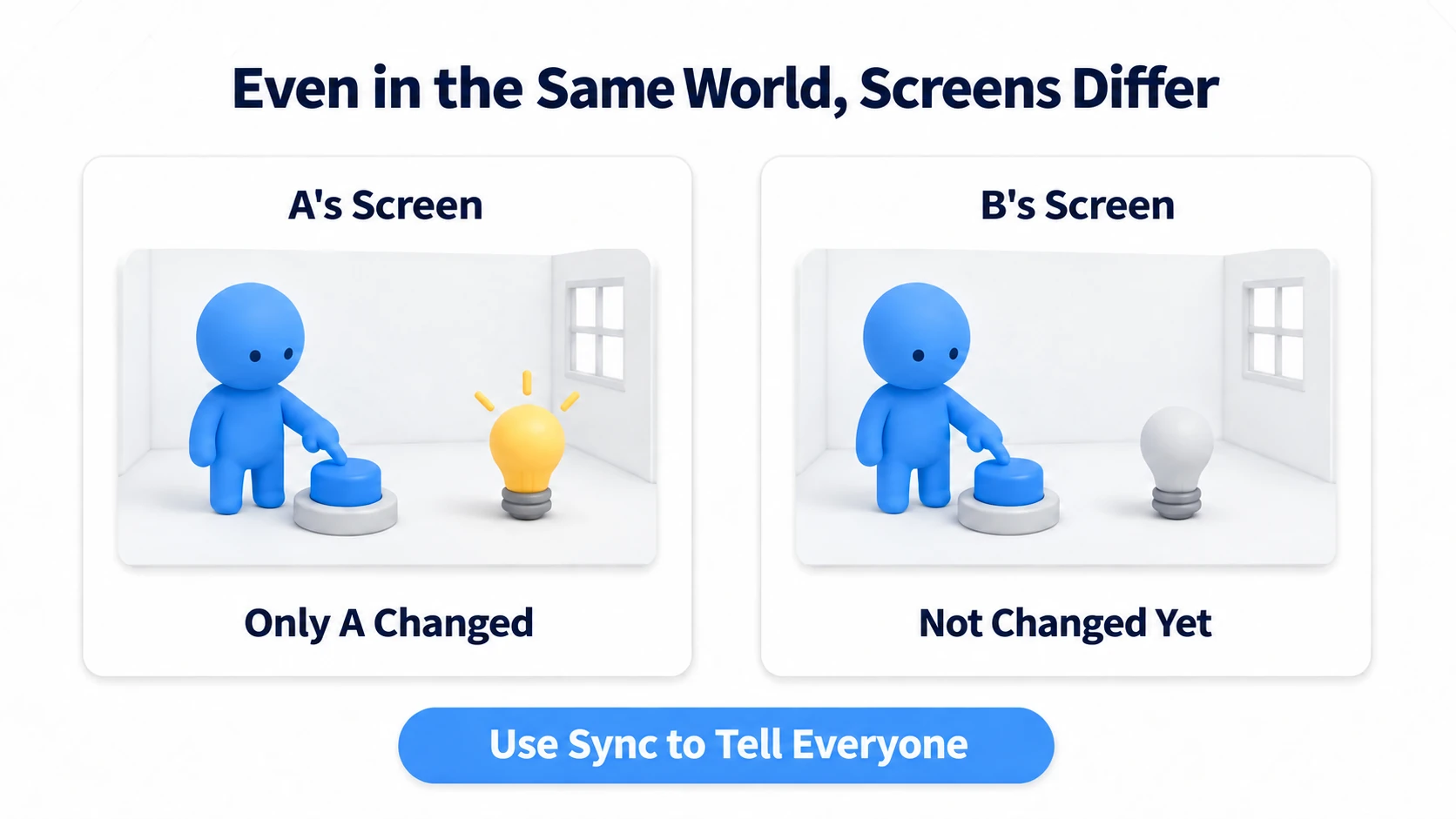
Write a program that turns off a light, press it, and only the presser's screen goes dark. The person next to you still sees it lit.
Nothing is broken. Even in the same instance, each PC runs the world separately. To turn it off on everyone's screen, you need a separate mechanism called synchronization.
Without knowing this, you'll mistake your first success for a failure. Get it working on your own screen first, decide what you want shared, then move to networking basics.
Common misconceptions
Clearing these up early makes everything after it easier.
| Common misconception | Actually |
|---|---|
| Udon runs on VRChat's servers | It runs on each player's PC. There's no dedicated game server |
| A light I turned off reaches everyone automatically | At first it's only your screen. Sharing requires synchronization |
| Graph and UdonSharp are different engines | Only the way you write differs. Udon is what runs, either way |
| Publishing a world always requires Udon | Floors, mirrors, chairs, and Pickups need none |
| I have to finish a Unity C# course first | You don't. Starting small as VRChat UdonSharp is enough |
| More programming means more serious work | Logic that runs every frame is expensive. Start with logic that runs only when something happens |
The top two especially are worth knowing first. Misunderstand those and every correct behavior looks like a bug.
Bonus: Good to Know Up Front
- What to check, in order, when nothing happens: (1) Is Udon attached to that object (2) Are there red errors in the Console (3) Is the thing you're trying to use actually that object (4) Are the reference fields in the Inspector filled in. These four resolve almost everything
- Don't paste Unity C# articles directly: Variables and
ifwork the same way, but the available API differs. Add "VRChat UdonSharp" when searching. The detailed limits are covered in what C# supports - Don't take distributed Prefabs apart: Mixing your own code into a video player Prefab makes causes impossible to trace. Place them as they come
- Master isn't staff: It's the player acting as host in that instance. You'll be Master sometimes. Covered in understanding ownership
- Beware old articles: Procedures using
VRC_Triggerare from the SDK2 era and no longer work. CyanEmu has been replaced by the official ClientSim
Summary
Udon is the mechanism for adding reactions you decide to a world's components.
- The line is "does the placed component answer the action on its own"
- The difference from Udon Graph is only how you write. Udon is what runs either way
- Code waits. It runs only when an event arrives
- A program attaches to an object, not to the world
- At first only your own screen changes. Sharing requires synchronization
The question to ask when you're unsure is: "Will this answer on placement alone?" If yes, you don't have to write code.
Next we get hands-on. In your first UdonSharp, let's build a Cube that changes color when pressed.