Unity Technical Notes

Technical notes for Unity game engine. All 99 articles are organized as a learning path you can follow in order, from fundamentals to advanced topics.

99 notes13 Categories
99 notes

Basics

13 notes
Sponsored
06

C# Classes for Unity Developers: Instances, null, Inheritance, and Interfaces

You can copy sample code just fine, but freeze the moment you have to decide how to split your own scripts into classes — the wall most Unity beginners hit right after variables and functions. This guide covers classes and instances, value vs. reference types, null and Unity's special destroyed-object check, [SerializeField] private and properties, inheritance vs. composition, and interfaces — all the way to a working IDamageable example.

Basics2026-07-16
Sponsored
Sponsored

Scripting

23 notes
Sponsored
Sponsored
Sponsored
12

Health, Damage, and Invincibility Frames: Finishing 'The Attack Lands' as a System

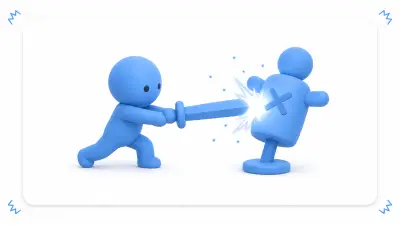
Attack detection, health, and invincibility frames are the first system almost every action game needs — and one of the easiest to break: one swing deals damage three times, death logic runs twice. Covers the Health / Hitbox / Hurtbox split, an attack window synced to the swing, once-per-swing hit management, and separating invincibility (rule) from damage flashing (visuals), all assembled in a small player-vs-enemy arena.

Scripting2026-07-16
Sponsored
16

A Bootstrap Scene Primer for When Your Managers Multiply and Break: Centralize Initialization

GameManager, AudioManager, SaveManager — somewhere past your fifth manager, the classic swamp begins: "playing from the Game scene crashes with null," "it breaks or works depending on Awake order," "returning to the title duplicates the persistent objects." The answer is to assemble everything persistent exactly once, in a fixed order, in an initial Bootstrap scene. Explicit initialization order, a persistent-versus-content scene structure, and a safety net that makes any scene playable — we rebuild the foundation under your manager collection.

Scripting2026-07-16
Sponsored
Sponsored

Editor

1 notes

Animation

1 notes

Rendering

10 notes
Sponsored
Sponsored
10

Fixing "My Attacks Don't Feel Like They Hit": A Game Feel Primer with Hit Stop, Flash, Shake, and Sound

Your hit detection works and HP goes down, yet playing it feels like hitting a pillow — that's not a bug, it's missing game feel. Layer hit flash, particles, SFX, camera shake, and hit stop onto the same sword swing, build weak/strong/critical intensity presets, and use ON/OFF comparison to learn what information each effect carries. Also covers the classic accidents: every enemy flashing at once, a camera that never returns home, and a timeScale that never recovers.

Rendering2026-07-16
Sponsored

VFX

1 notes

Performance

9 notes
02

Hunting 'Still Heavy After Loading': Memory Profiler and Snapshot Diffs

Frame rate is fine, yet the game dies suddenly on device; you leave a stage and memory never comes back — that's not a GC spike, it's resident memory. Covers taking snapshots with the Memory Profiler package, reading textures, meshes, and AudioClips in the Unity Objects view, the before/after comparison ritual that exposes what survives a scene unload, and thinking in per-device memory budgets — a straight road through investigating device crashes.

Performance2026-07-16
Sponsored
06

Lighter 3D Rendering with LOD and Occlusion Culling: Don't Draw What Can't Be Seen

The bigger your 3D stage grows, the lower the frame rate falls — usually because you're faithfully rendering full-detail models in the far distance and entire neighborhoods hidden behind walls. Covers LOD Groups that swap models by distance, Occlusion Culling that skips what's blocked from view, and distance design with Far Clip and fog — three tools for not drawing the invisible, applied to lightening a city stage.

Performance2026-07-16
Sponsored
08

A Jobs + Burst Primer: The Next Move When Heavy Number-Crunching Is Truly the Bottleneck

When the Profiler fingers thousands-to-tens-of-thousands of numeric computations — like distance checks against every enemy — GC and Update Manager optimizations stop being enough. Unity's Job System and the Burst compiler are the official way to hand independent bulk computation to worker threads. NativeArray handoffs and the Dispose responsibility, a minimal IJobParallelFor + Burst example, the correct Schedule → other work → Complete order, and knowing when plain C# is still the right call — all through the lens of computing distances for 10,000 enemies.

Performance2026-07-16

2D

5 notes
Sponsored

3D

14 notes
Sponsored
Sponsored
09

Animation Events, Root Motion, and IK: Three Tools That Sync Animation With Gameplay

You can play animations. But 'deal damage exactly when the blade comes down,' 'make the lunge move the character as animated,' and 'plant the hand flat on the wall' are suddenly hard — they're synchronization problems between animation and the game world. Covers Animation Events that call code on specific frames, Root Motion that hands movement to the animation, and IK that snaps hands and feet onto targets — with use cases, pitfalls, working code, and a finished lunge attack.

3D2026-07-16
Sponsored
Sponsored

UI

8 notes
Sponsored
05

Wiring the Settings Screen Into One System: Saving Volume, Display, Language, and Controls

Volume via AudioMixer, resolution via Screen, language via Localization, key rebinding via the Input System — you know each piece, yet the moment you build a settings screen, it collapses: scattered saves, settings that don't restore on launch, apply timing all over the place. This article unifies everything into one SettingsData, separates applying from saving, and finishes a SettingsManager that restores every setting at startup — linking out to the deep-dive articles for each field.

UI2026-07-16
06

UI Toolkit Primer: When to Use It Over uGUI, and How to Build Runtime UI

You know uGUI. But when should you reach for UI Toolkit, the system whose star keeps rising in the Unity 6 era? The answer is coexistence, not replacement. Covers the UIDocument / UXML / USS division of labor, driving UI Builder screens from C#, switching visual states with USS classes, and ListView virtualization — all through building a quest log screen. And it's explicit about where uGUI remains the right tool.

UI2026-07-16
Sponsored

Data

10 notes
Sponsored
06

Making "Bring Me 3 Herbs" Actually Work: Building a Quest and Objective System

You have dialogue, an inventory, and saving — yet the most ordinary fetch quest in all of RPGs, "collect 3 herbs and return to the villager," won't come together. What's missing is a home for progression state. Model quests with four states, separate master data from progress data, accept from a dialogue choice, update objectives from inventory changes, handle turn-in and rewards, and restore everything from a save — while plugging the classic holes: items collected before accepting, double rewards from button mashing, and saves that break when an asset gets renamed.

Data2026-07-16
Sponsored
09

Shipping Additional Content Later with Addressables: Remote Setup, Catalogs, and Update Builds

"With Addressables you can ship content without an app update" — you believed it and made your assets Addressable, yet everything is still baked into the build. What's missing is the Remote setup. What Build Path and Load Path mean, the catalog that links your app to its content, the startup CheckForCatalogUpdates → UpdateCatalogs flow, and the update build that separates what may change from what must stay frozen. Using an event costume shipped after release as the example, we get post-launch content updates working end to end.

Data2026-07-16

Build

2 notes

Networking

2 notes
Sponsored