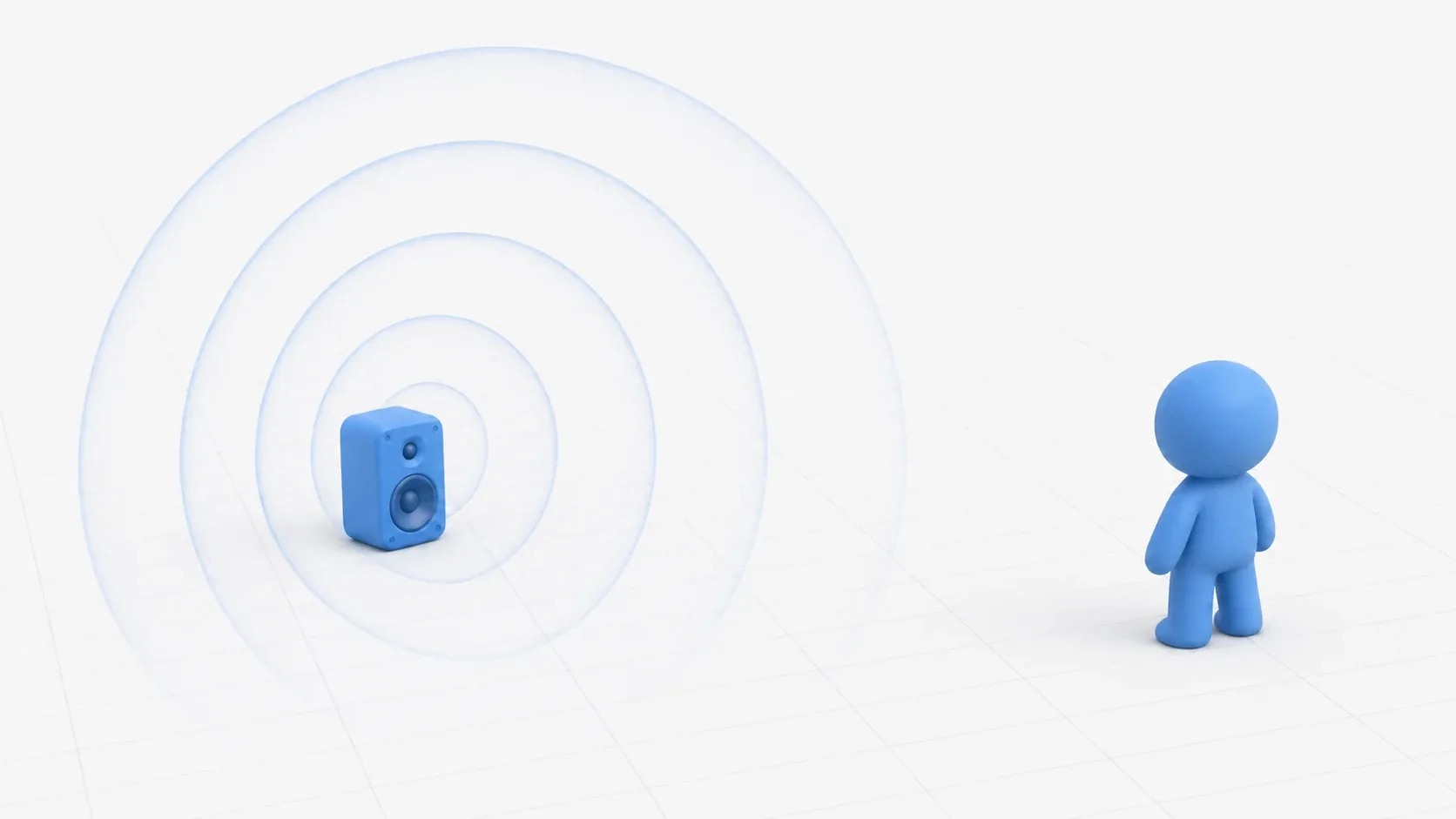
Once you can play music and sound effects, new wants show up. You want sound to echo in caves, you want footsteps audible next to deafening explosions, you want a voice that sounds like it's coming through a radio. Shaping that sonic texture is the job of effects applied to Audio Buses.
Adding an effect to a bus applies it to every sound passing through that bus. Building on the bus setup from Audio management basics, this article covers the main effects (reverb, compressor, EQ), processing order, and an implementation that dynamically applies reverb when the player enters a cave.
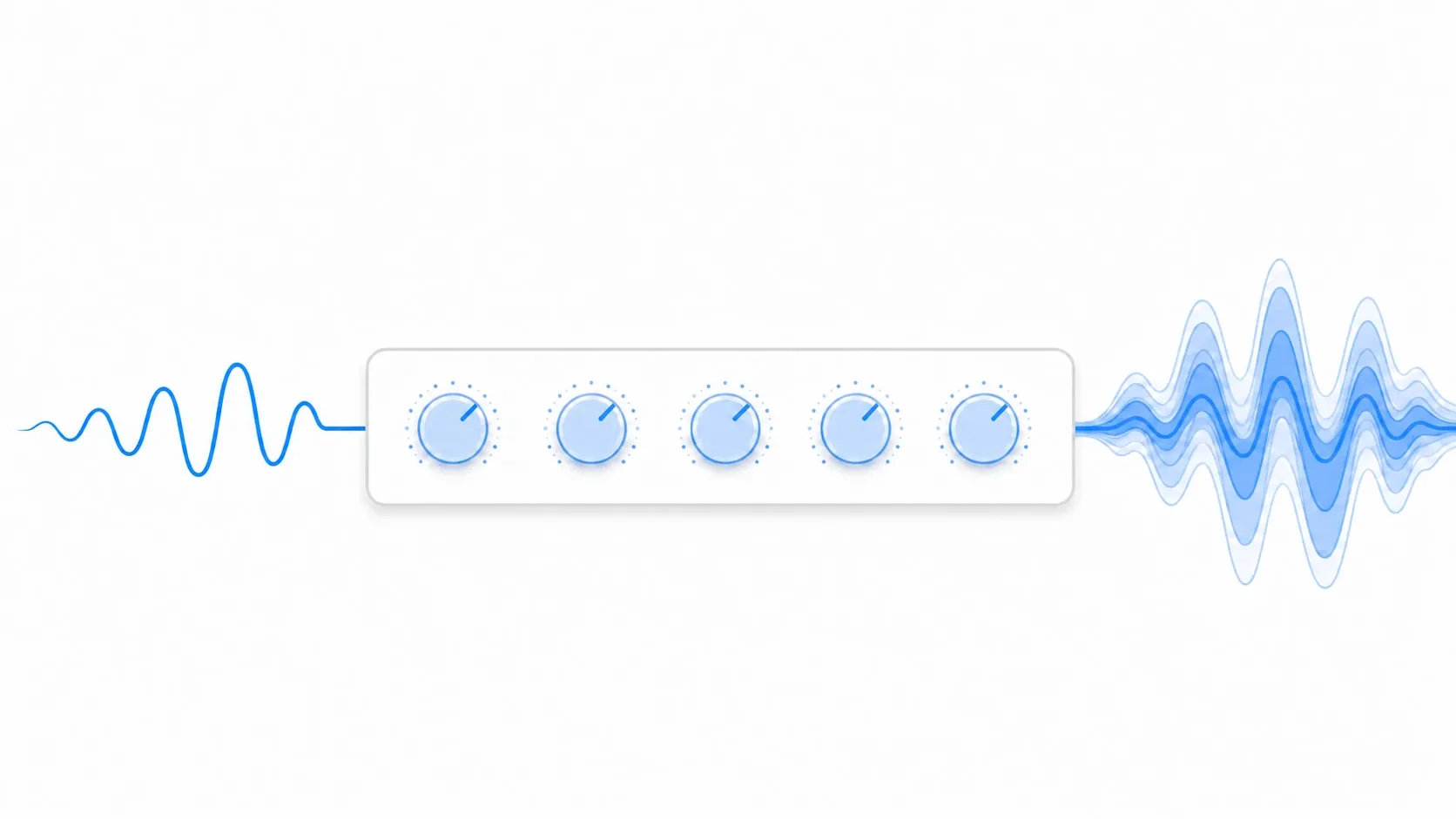
What You'll Learn
- How effects make the same source sound different in different spaces
- The three staple effects: Reverb, Compressor (evening out volume), and EQ (frequency shaping)
- How the processing order (chain) changes the result
- Dynamic control that adds reverb when entering a cave (
add_bus_effect+is_instance_of+ Tween)- A settings reference by situation
Tested with: Godot 4.7
What Effects Can Do
At heart, effects make the same audio source sound appropriate to the space it's in . One footstep sample echoes in a cave, muffles underwater, and rings out cleanly outdoors. Effects create that difference.
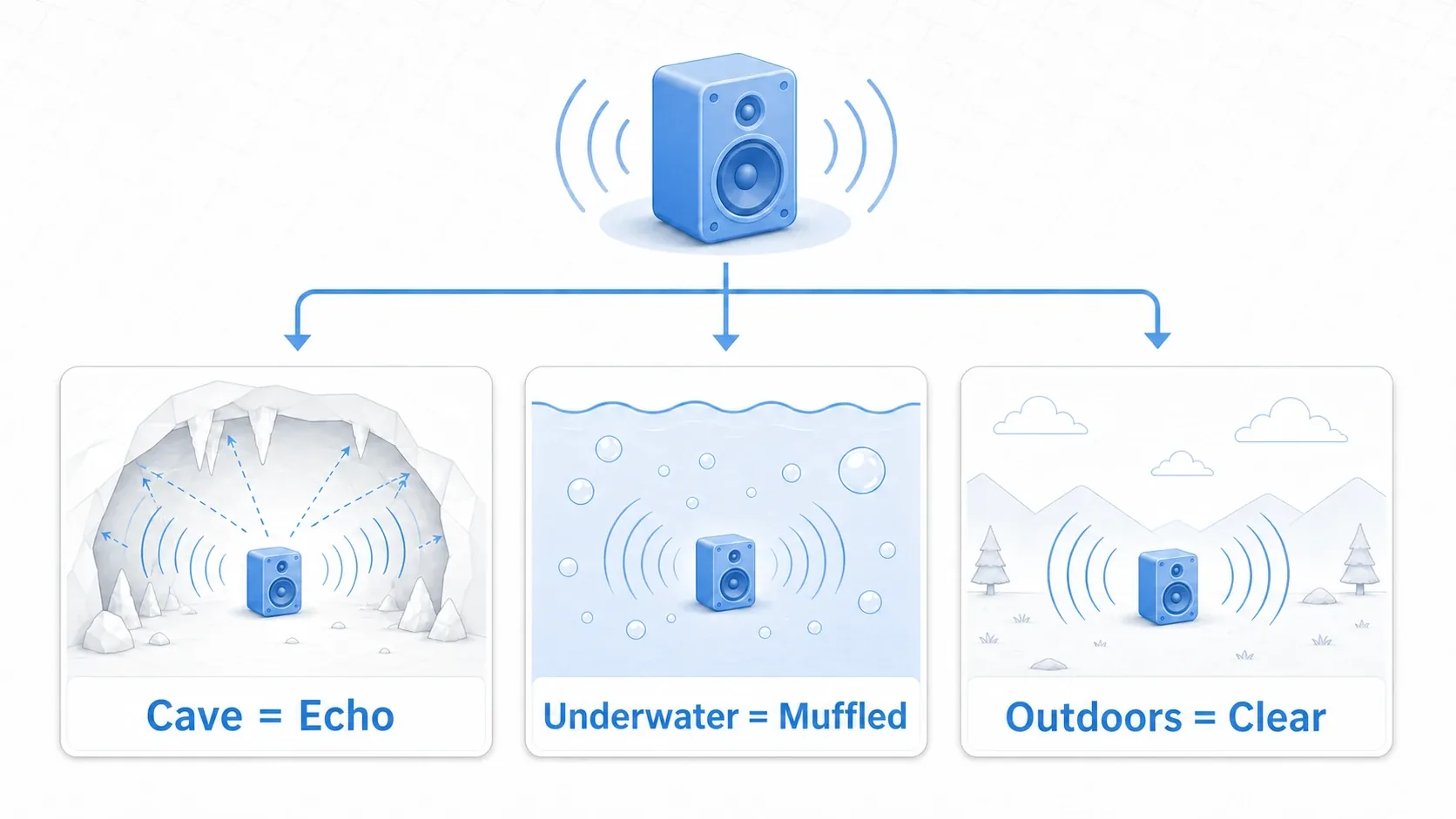
The Godot way is to apply this to a bus as a group rather than to each individual source . Put one reverb on the SFX bus and every sound effect passing through it echoes at once. That's why splitting buses by purpose (BGM / SFX / Voice / Ambient) is the prerequisite for making effects useful.
The Three Staples: Reverb, Compressor, and EQ
Of the many effects available, these three come first. Their roles are clearly distinct, so let's take them in order.
AudioEffectReverb (Creating Space Through Reverberation)
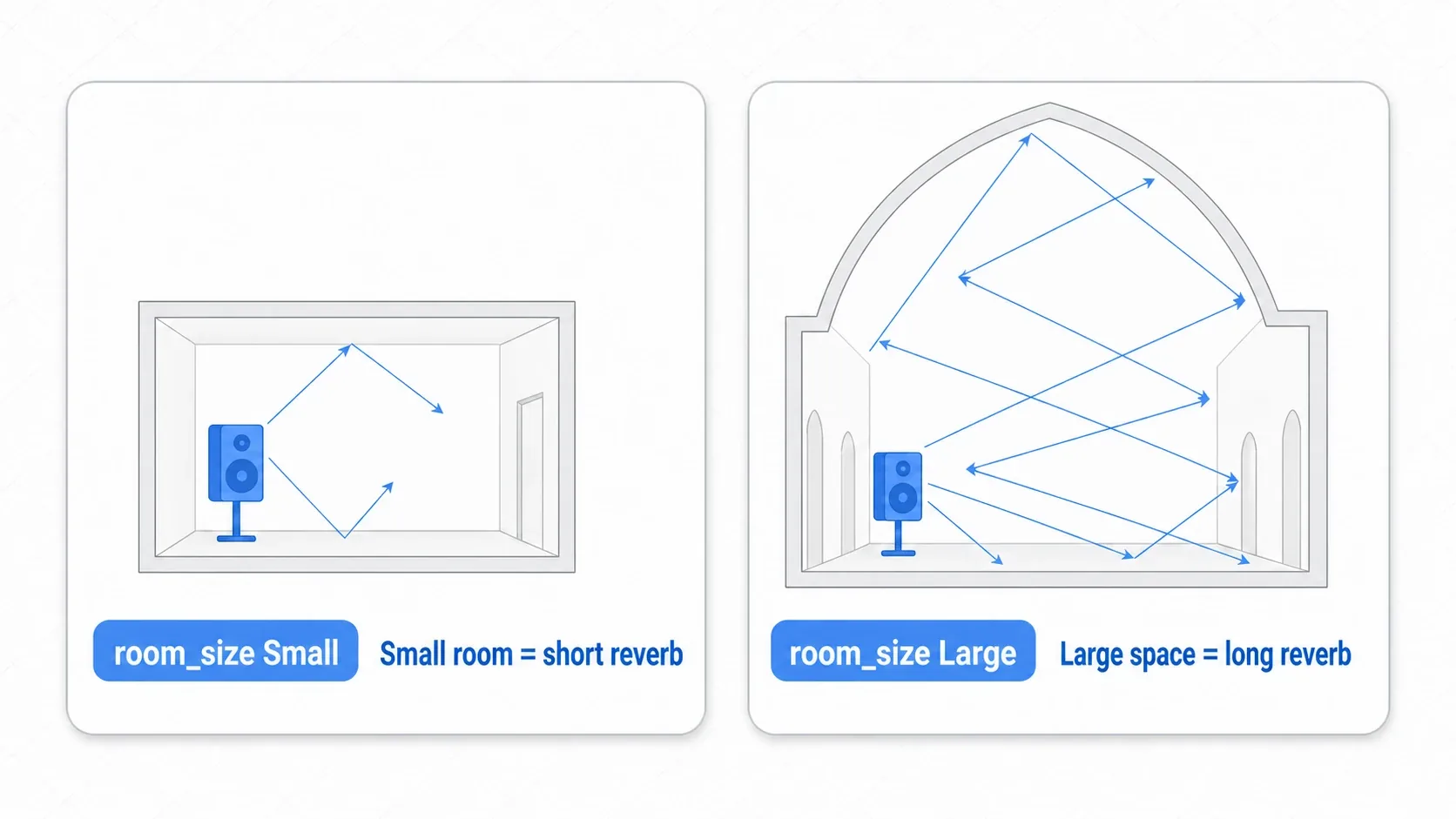
Cave echo, the majestic ring of a cathedral. This is the go-to effect for conveying the size and material of a space through sound. In short, it defines how long sound reflects and lingers.
| Property | Description | Typical range |
|---|---|---|
room_size | Size of the space (length of reverberation) | 0.2 (small room) to 0.9 (cathedral) |
damping | High-frequency decay (roundness) | 0.3 to 0.8 |
wet | How much of the effected signal is mixed in | 0.1 to 0.5 |
dry | How much of the original signal is mixed in | 0.5 to 1.0 |
wet in particular is the "how strong" knob. dry (the original) and wet (the reverb) are added together, so raising wet also makes the overall sound a little louder. In the dynamic control below, we animate wet to bring reverb in and out.
AudioEffectCompressor (Evening Out Volume)
Explosions are deafening while footsteps are too quiet to hear. That classic game audio problem is what a compressor solves. It holds down only the loud sounds , and when you raise the whole signal back up with gain, the gap to the quiet sounds narrows.
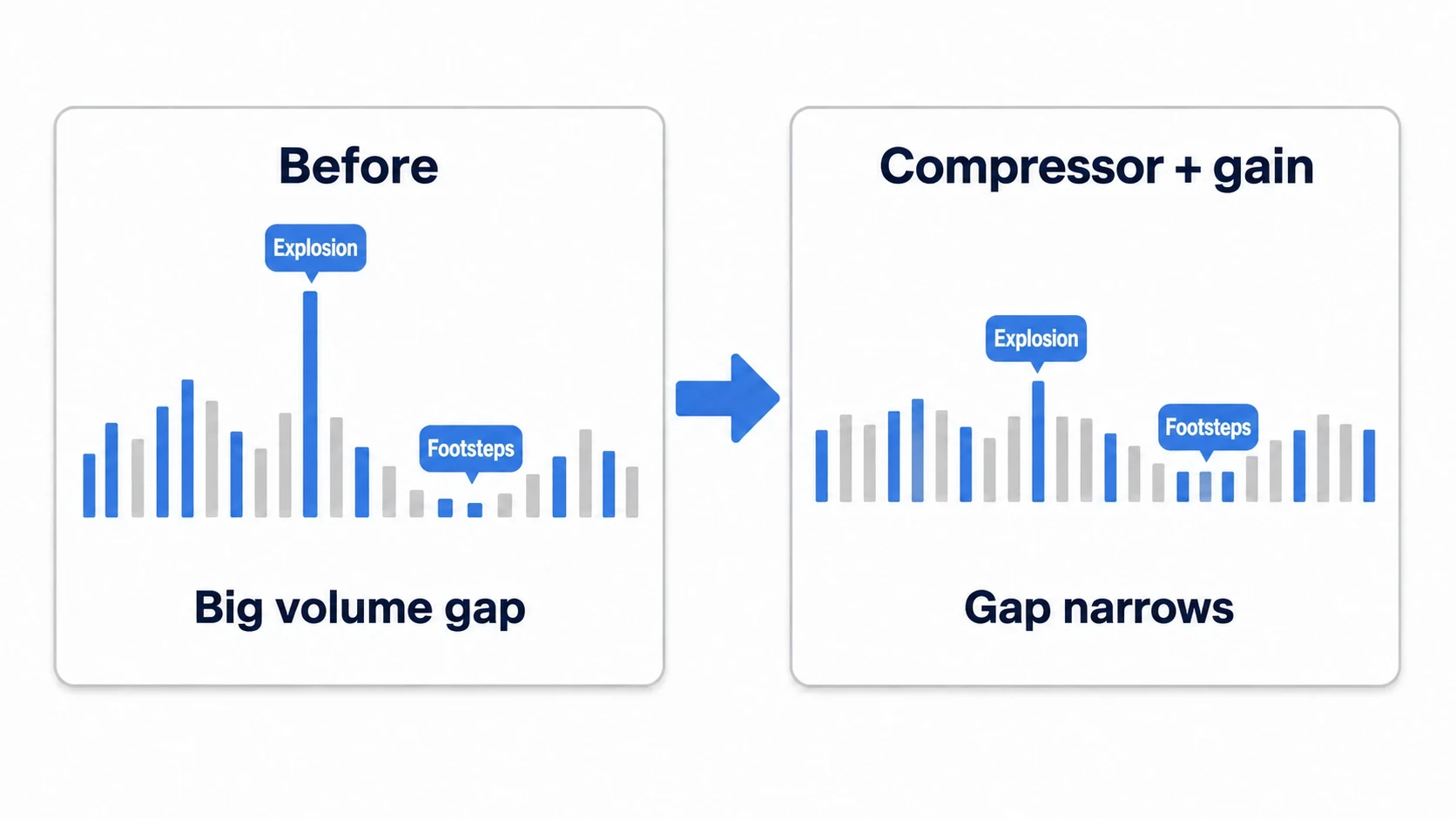
| Property | Description | Typical range |
|---|---|---|
threshold | Level where compression begins | -20 to -10 dB |
ratio | Strength of compression | 2:1 to 4:1 |
attack_us | How fast it responds | 20 to 2000 μs (default 20) |
gain | Makeup gain after compression | 0 to 6 dB |
Applied lightly to the SFX bus it makes all sound effects easier to hear, and applied to the Master bus it raises overall loudness.
AudioEffectEQ (Balancing Frequencies)
This effect adjusts volume per frequency band across lows, mids, and highs. You can add low end for impact, or cut highs for a muffled underwater sound. AudioEffectEQ6 / EQ10 / EQ21 are available, where the number is the count of bands (knobs).
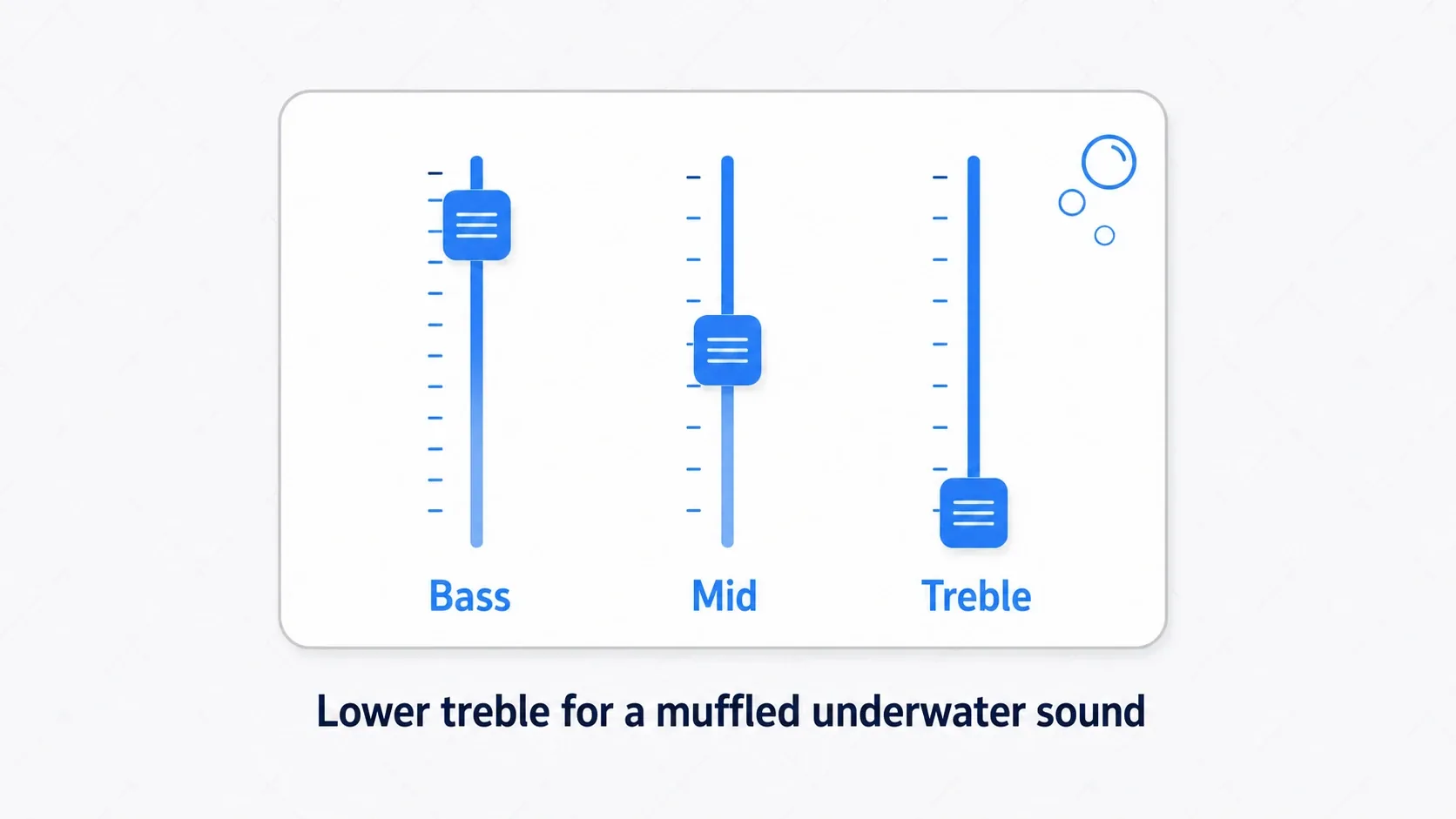
# Boosting the low end with EQ10 (band 0 = 31Hz ... band 9 = 16kHz)
var eq := AudioEffectEQ10.new()
eq.set_band_gain_db(0, 6.0)   # +6dB at 31Hz (add deep bass)
eq.set_band_gain_db(1, 4.0)   # +4dB at 62Hz
# For an underwater feel, instead pull the high bands down into negative values
Other Commonly Used Effects
Beyond the big three, plenty of others help with texture.
| Effect | Use | Main properties |
|---|---|---|
AudioEffectDelay | Echo | tap1_delay_ms, feedback_level_db |
AudioEffectChorus | Thickness and width | voice_count, wet |
AudioEffectHardLimiter | Preventing clipping (setting a ceiling) | ceiling_db |
AudioEffectDistortion | Distortion, radio effect | mode, drive, pre_gain |
Applying AudioEffectDistortion lightly in MODE_OVERDRIVE and keeping only the midrange with EQ gets you a voice over a radio. A limiter sets a "no louder than this" ceiling, and the standard placement is last on the Master bus to prevent clipping (the older AudioEffectLimiter is deprecated).
Effect Processing Order (Chains)
You aren't limited to one effect. You can stack several on a bus, and when you do, order matters. Effects within a bus are processed in series from top to bottom , so rearranging them changes the result.
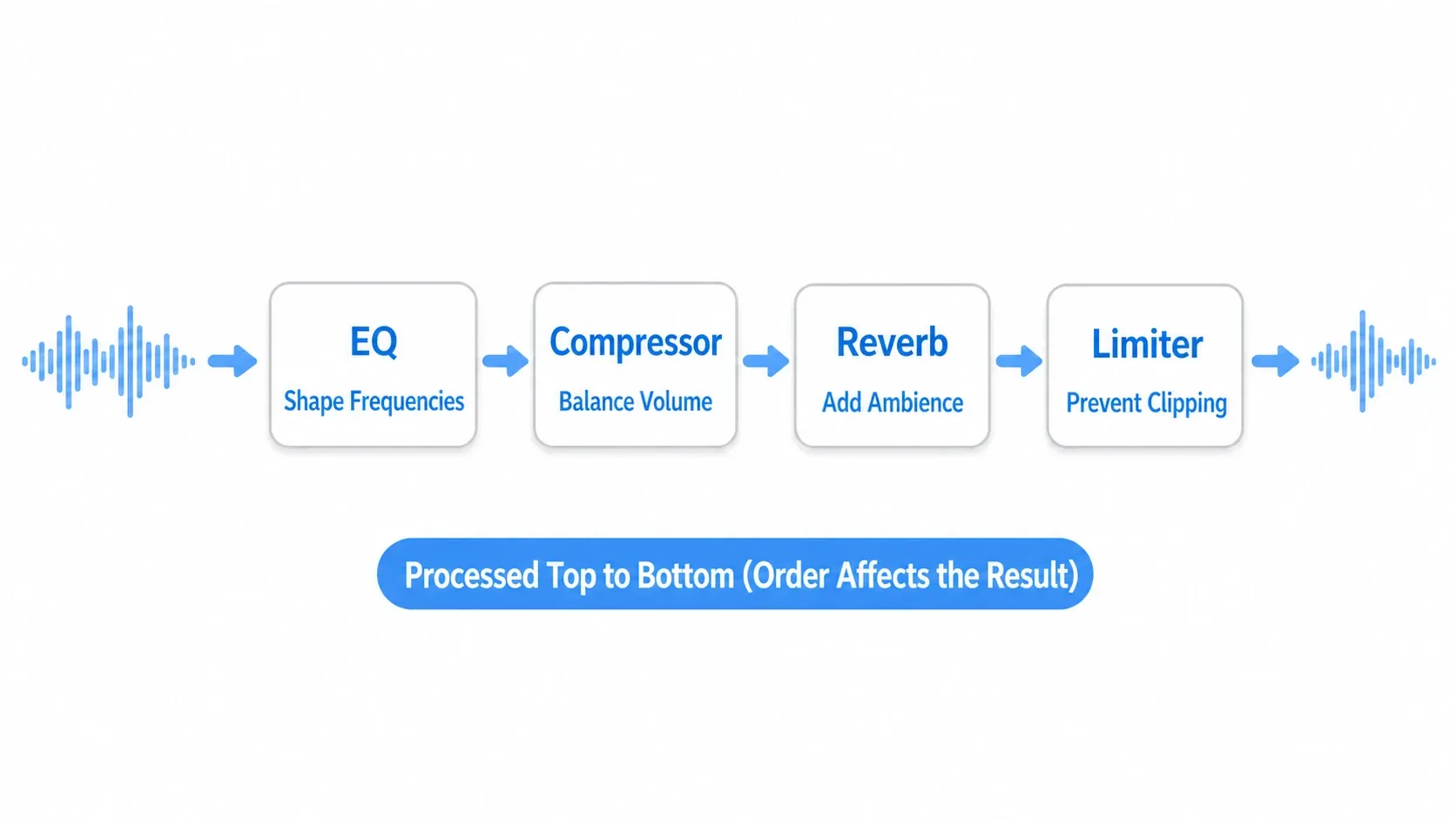
For the Master bus in particular, the baseline order is:
- EQ : first balance the overall frequency content
- Compressor : even out the levels
- Limiter : finally set a ceiling to prevent clipping (
ceiling_dbaround-0.5)
The mental shortcut is "shape, then even out, then cap." Putting reverb before the compressor compresses the reverb tail too and changes how it sounds, so spatial effects (Reverb) generally go after level effects (Compressor).
tips: Every effect adds CPU cost. If one effect on a bus does the job, don't apply it per source. Keeping it to the minimum is the key to staying light.
Hands-On: Dynamically Adding Reverb When Entering a Cave
Effects aren't limited to static editor setup. You can add, remove, and modulate them during gameplay . Let's build the classic version: when the player enters a cave area, reverb is applied to SFX, and it's removed on exit. This applies broadly, from dungeon RPG caves to horror basements to flooded areas in a Metroidvania.
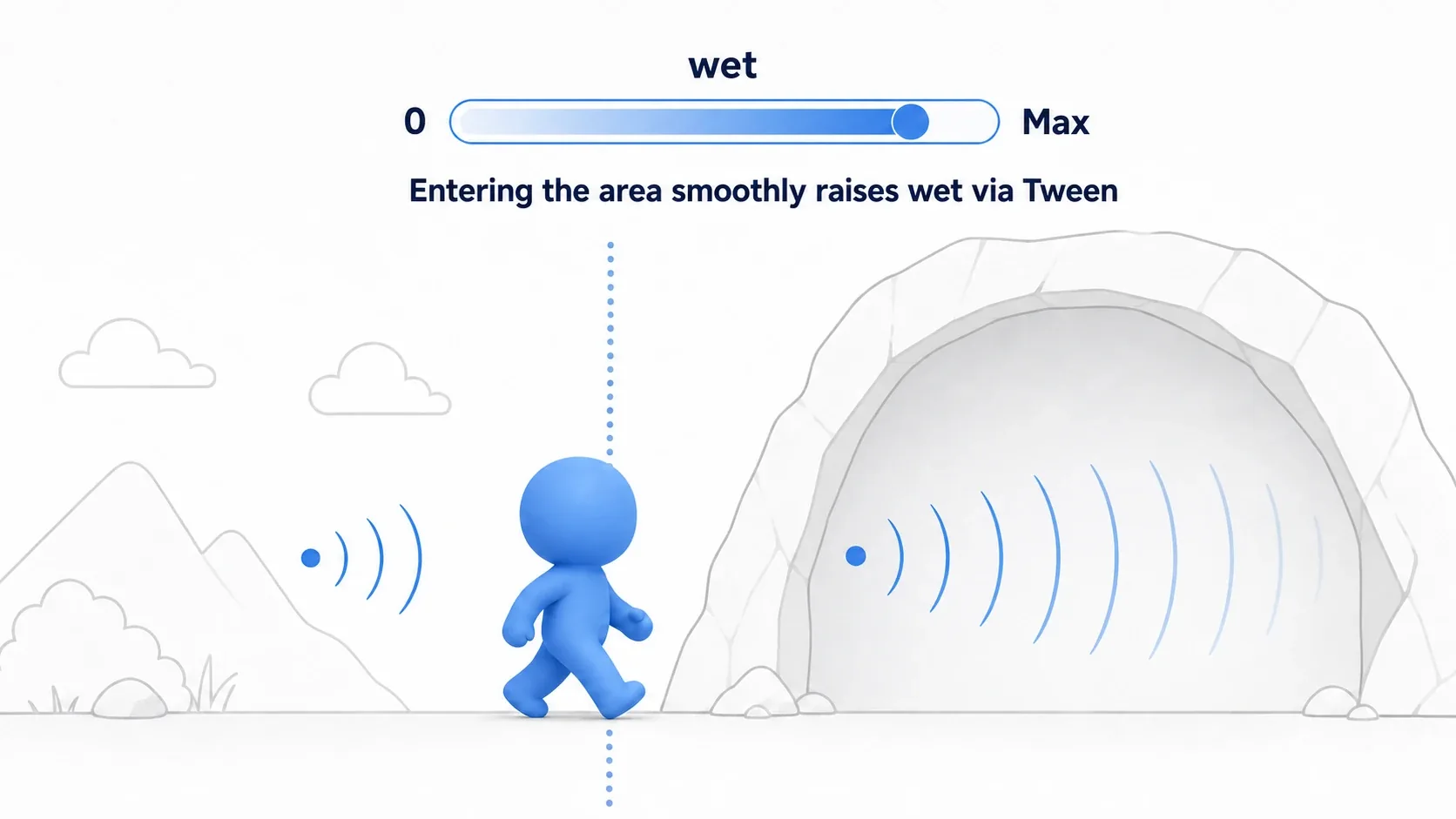
Detect area entry and exit with Area2D's body_entered / body_exited, and call the following functions from there. If cave areas overlap, count how many you're inside and call enter_cave() when the count goes from 0 to 1 and exit_cave() when it goes from 1 to 0 (otherwise leaving one area removes the reverb while you're still in the other).
# Add reverb to the SFX bus on entering the cave
func enter_cave() -> void:
    var sfx_idx := AudioServer.get_bus_index("SFX")
    if find_effect_by_type(sfx_idx, AudioEffectReverb):
        return                                    # Already added? Don't add another (stops it piling up on every entry)
    var reverb := AudioEffectReverb.new()
    reverb.room_size = 0.8
    reverb.wet = 0.0                              # Start at 0, raise it with a Tween below
    AudioServer.add_bus_effect(sfx_idx, reverb)   # Append to the end of the bus
    transition_wet(0.3, 1.0)                       # Bring the reverb in over 1 second

# Remove just the reverb on leaving the cave
func exit_cave() -> void:
    var sfx_idx := AudioServer.get_bus_index("SFX")
    remove_effect_by_type(sfx_idx, AudioEffectReverb)

# Change wet smoothly with a Tween (sudden reverb sounds unnatural)
func transition_wet(target: float, duration: float) -> void:
    var sfx_idx := AudioServer.get_bus_index("SFX")
    var reverb := find_effect_by_type(sfx_idx, AudioEffectReverb)
    if reverb:
        create_tween().tween_property(reverb, "wet", target, duration)

# Find an effect of a given type by scanning (avoids hardcoded indices)
func find_effect_by_type(bus_idx: int, effect_type) -> AudioEffect:
    for i in range(AudioServer.get_bus_effect_count(bus_idx)):
        var effect := AudioServer.get_bus_effect(bus_idx, i)
        # is_instance_of compares against a type held in a variable (the is operator only takes type literals)
        if is_instance_of(effect, effect_type):
            return effect
    return null

func remove_effect_by_type(bus_idx: int, effect_type) -> void:
    for i in range(AudioServer.get_bus_effect_count(bus_idx) - 1, -1, -1):
        if is_instance_of(AudioServer.get_bus_effect(bus_idx, i), effect_type):
            AudioServer.remove_bus_effect(bus_idx, i)
            return
There are two points to take away.
- Remove by type, not by index : hardcoding a number in
remove_bus_effect(idx, number)shifts the moment another effect is added later, and you end up deleting the wrong one. Searching for the target type (AudioEffectReverb) withis_instance_of()and removing that is safe. Since theisoperator only accepts type literals , passing a type as a variable requiresis_instance_of(). - Transition gradually with Tween : jumping
wetstraight to0.3slams reverb on the instant you cross the boundary, which feels unnatural. Raising it over about a second gives the sense of walking into the cave.
Effect Settings by Use Case
A reference for when you're unsure which effect a scene needs. Start with these values and tune by ear.
| Situation | Effects to use | Setting notes |
|---|---|---|
| Cave, underground | Reverb | room_size: 0.8 / wet: 0.3 / damping: 0.4 |
| Underwater | EQ + Reverb | Cut the highs (above 4kHz) heavily, reverb on the strong side |
| Outdoors, grassland | Reverb (light) | room_size: 0.3 / wet: 0.1 |
| Radio, comms | Distortion + EQ | MODE_OVERDRIVE, keep only the midrange |
| Boss fight intensity | Compressor | Raise loudness on the Master bus |
| Menu screen | EQ + Limiter | Pull the music back so UI sounds stand out |
Bonus: Good to Know for Later
- Fade bus volume with
tween_method: effect properties likewetcan be animated withtween_property, but overall bus volume (set_bus_volume_db) goes through a method, so usecreate_tween().tween_method(func(db): AudioServer.set_bus_volume_db(idx, db), current_db, target_db, seconds)for a smooth fade. - Solo and mute are your debugging friends :
AudioServer.set_bus_solo(idx, true)plays only one bus, andset_bus_mute()silences one. Handy for answering "is this reverb actually doing anything?" - Effects don't apply in Web builds : in a game exported for the Web, bus effects aren't applied with the default settings. Check them in the editor or a desktop build.
- Your bus setup is saved automatically : the buses and effects you build in the editor are saved automatically to
res://default_bus_layout.tresand loaded at startup (see the basics article). - Spatial sound belongs to 3D audio : footsteps that attenuate with distance and ambience that changes with position are 3D audio and spatial sound territory. Changing musical mood by area starts with adaptive music.
Summary
- Effects go on buses : one effect applies to every sound passing through that bus
- The big three :
Reverb(spatial reverberation),Compressor(evening out volume),EQ(frequency balance) - Processing order is "shape, even out, cap", meaning EQ, Compressor, Limiter as the baseline
- Dynamic control adds and removes with
add_bus_effect(), finds the target withis_instance_of()when removing, and easeswetwith Tween
Start by adding one reverb to the SFX bus and playing with room_size and wet. Your sound effects should immediately feel much more "of that place." Build from there with dynamic cave reverb and underwater EQ, and your game world gains real dimension.
Further Reading
- Audio management basics (AudioStreamPlayer and Audio Bus) : the bus setup and AudioManager this article assumes
- Smooth animation with Tween : smoothly changing
wetand bus volume - Area2D in depth : detecting area entry and exit to switch effects
- 3D audio and spatial sound : distance attenuation and position-based sound
- Adaptive music : changing music dynamically with the situation
- Godot official docs: Audio buses : primary source on buses and effects