One of the first walls you hit after starting Godot is probably scripting. If you've ever looked at code full of English keywords and cryptic symbols and quietly closed the editor, you're in good company. You don't need to learn all of GDScript to get a game running.
GDScript is the language you write game logic in inside Godot. This article narrows things down to the essentials you need before writing code, namely variables and types, functions, if/for/while/match, and arrays and dictionaries, and walks through them one at a time with small working examples.

What You'll Learn
- Variables and types: how to use the boxes that hold values (
var/const)- Functions: packaging logic for reuse (
func/ parameters / return values)- Control flow: branching and repetition with
if/for/while/match- Arrays and dictionaries: grouping multiple values with
ArrayandDictionary
Tested with: Godot 4.7
Variables and Types
A variable is a box that holds a value such as a number or a string. In GDScript you create the box with var and put a value in it with =.
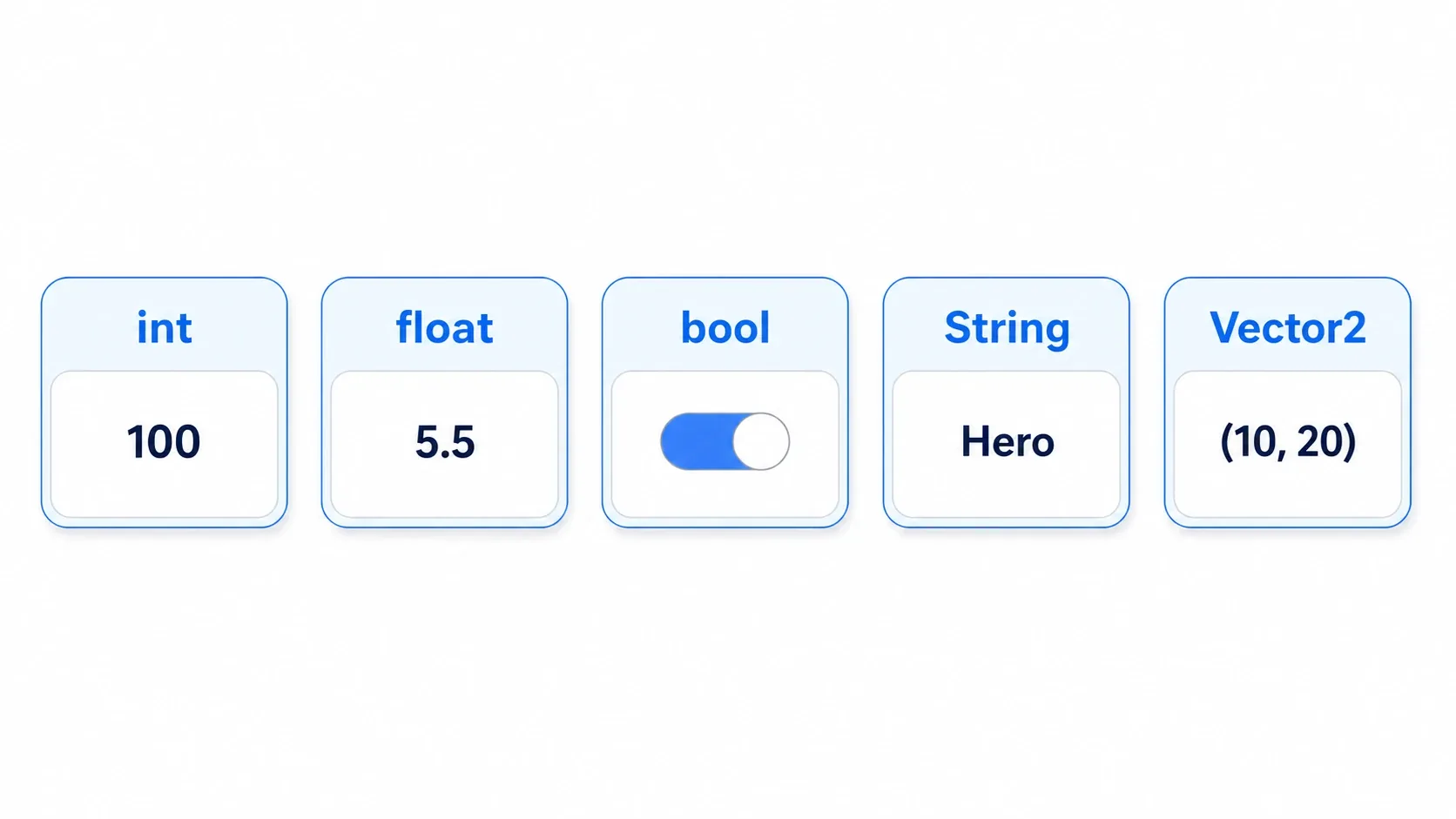
Every box has a type, meaning the kind of data it holds. Here are the basic types you'll use most in Godot.
| Type | Description | Example |
|---|---|---|
int | Integers | var score := 100 |
float | Decimals | var speed := 5.5 |
bool | Boolean (true / false) | var is_alive := true |
String | Text (wrapped in ") | var character_name := "Hero" |
Vector2 | 2D coordinates and directions | var pos := Vector2(10, 20) |
You can't name a variable name. Every node already has a name (the node's name), so writing var name is an error. Use a different name such as character_name.
Ways to Declare Types: var, Type Inference, and const
There are a few ways to declare a variable. Attaching a type prevents you from assigning the wrong kind of value, which makes your code safer.
var health: int = 100      # Explicit type annotation
var speed := 5.5           # := (type inference): float, decided from the right-hand side
var character_name = "Hero"  # Works without a type, but typed is safer

const MAX_HP := 999        # const is a value that can't change; uppercase names are the convention
:= is assignment with type inference: the type comes automatically from the value on the right. var speed := 5.5 means the same thing as var speed: float = 5.5 and is shorter, which is why it shows up so often. For values that never change, like a maximum HP, const prevents accidental overwrites. If you want to dig deeper into types themselves, static typing in GDScript is the place to go.
Functions
A function packages a particular piece of logic together. Once you write it, you can call it as many times as you like. In GDScript you define one with func.
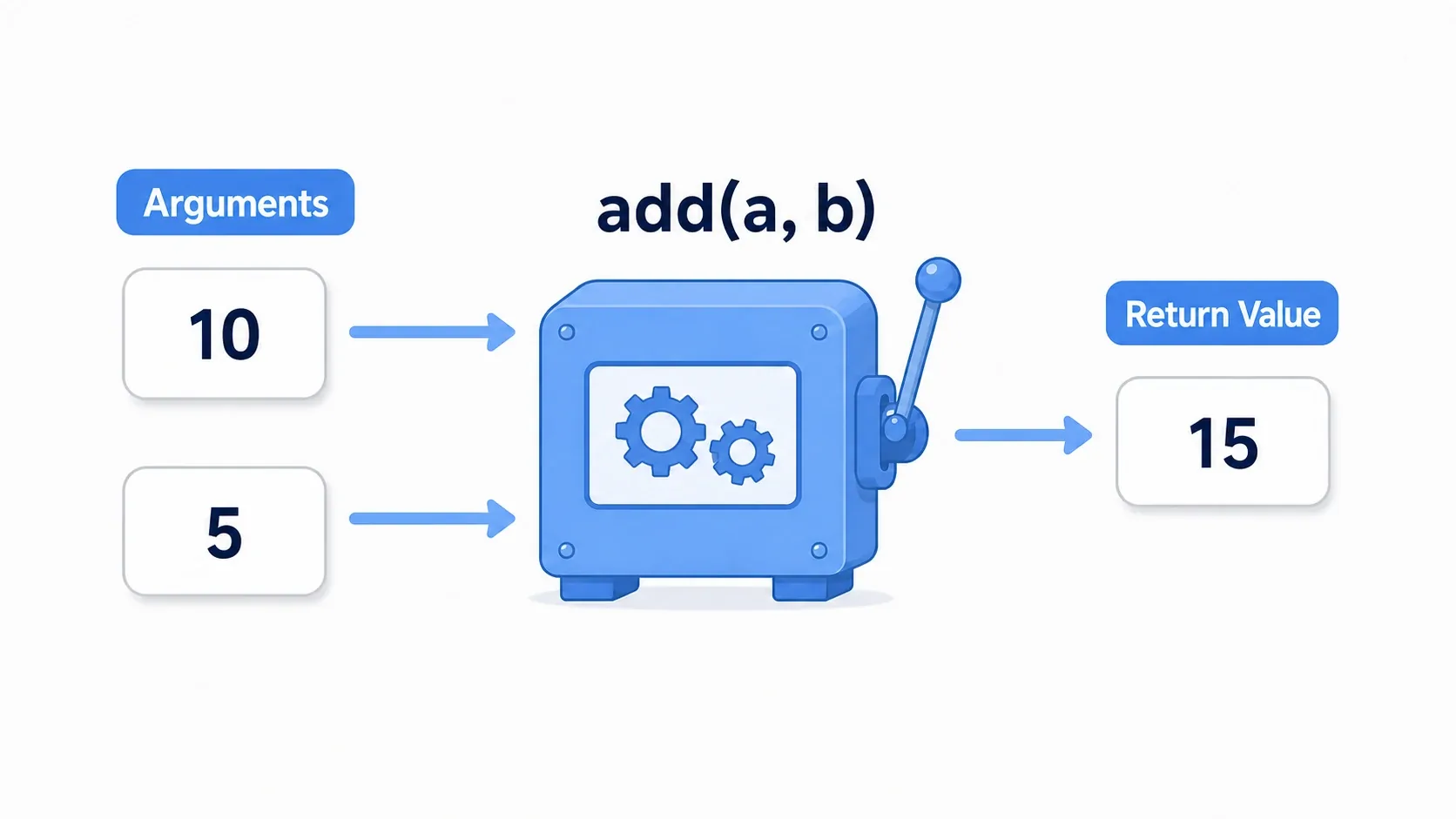
Picture a machine: you feed in ingredients (parameters) and a processed result (the return value) comes out.
func _ready() -> void:
    say_hello()                 # Call a function
    var result := add(10, 5)    # Pass arguments and receive the return value
    print("10 + 5 = ", result)  # -> 10 + 5 = 15

# A function with no parameters and no return value (-> void means "returns nothing")
func say_hello() -> void:
    print("Hello!")

# A function that takes two int parameters and returns an int
func add(a: int, b: int) -> int:
    return a + b                # return sends a value back
- Parameters: the ingredients you pass in. Written as
name: type, separated by commas when there are several - Return value:
-> typedeclares what the function returns. Use-> voidwhen it returns nothing - Default parameters:
func greet(hero_name: String = "Hero")lets you define a value used when the argument is omitted
_ready() and _process() are also special functions that Godot calls automatically at particular moments (see the lifecycle article).
Control Flow: if, for, while, and match
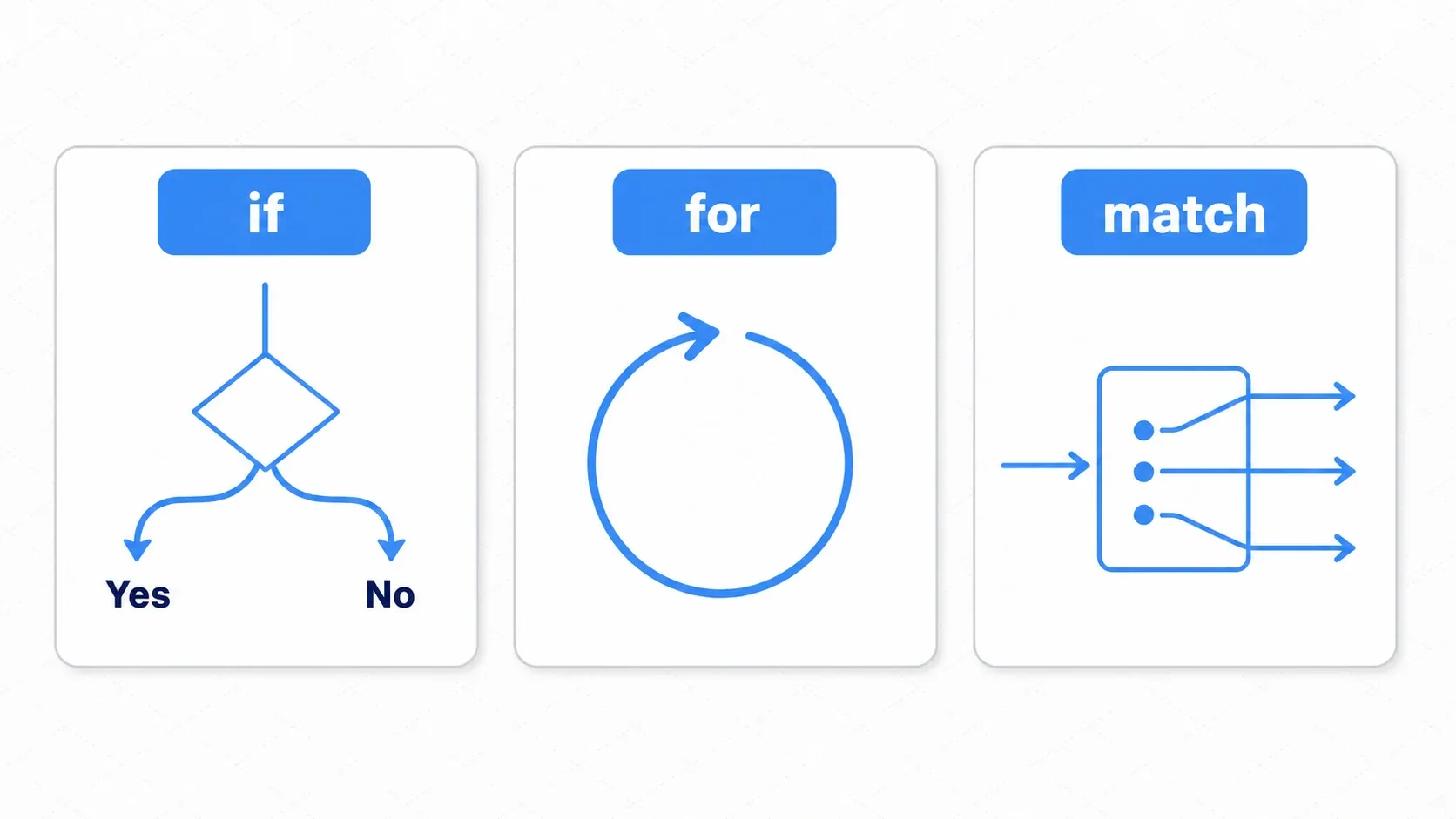
Control flow is how you steer the flow of a program. It helps to picture if as a fork in the road, for and while as loops that go round and round, and match as a sorter that routes by value. Write the examples from here on inside a function such as _ready() (outside a function, you can only declare var and const and define func).
if: Conditional Branching
This is the "if X, then do Y" branch. Additional conditions use elif, and else catches everything left over.
var score := 85

if score >= 80:
    print("Excellent!")
elif score >= 60:
    print("You passed.")
else:
    print("Try harder next time.")
for and while: Repetition
for repeats a fixed number of times or over a set of elements. while repeats as long as a condition is true.
for i in range(3):       # 3 times: 0, 1, 2
    print("Count: ", i)

for enemy in enemies:    # One array element at a time (covered below)
    enemy.take_damage(10)

var hp := 3
while hp > 0:            # Repeat while hp is greater than 0
    hp -= 1
match: Sorting by Value
This compares one value against several patterns and branches accordingly. For branches on things like state names, it reads better than a row of if/elif.
match state:
    "idle":
        print("Idling")
    "run":
        print("Running")
    _:                   # _ catches anything that matched none of the patterns
        print("Other")
Arrays and Dictionaries
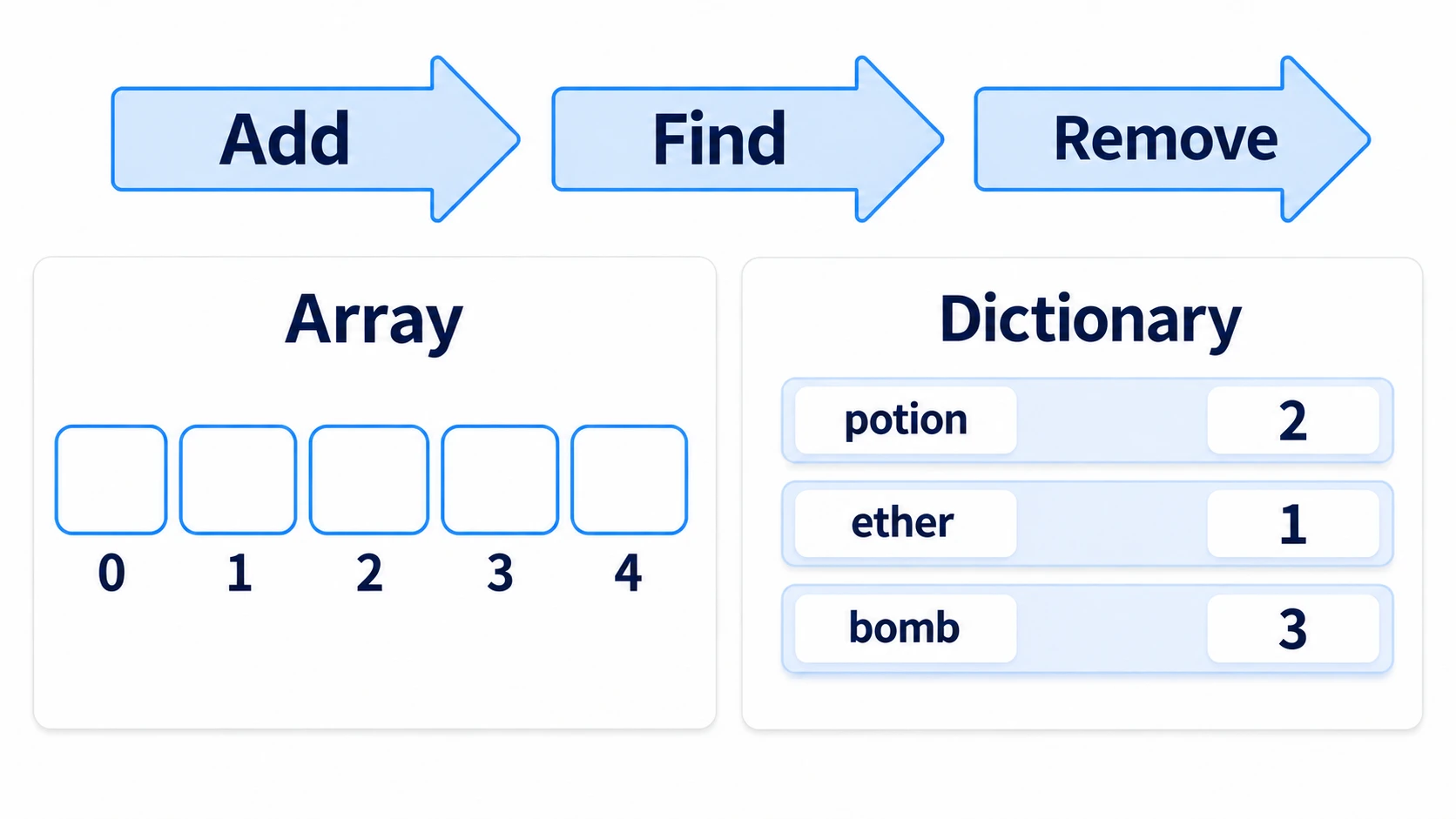
When you have ten enemies, creating ten variables named enemy1, enemy2, and so on gets painful fast. Arrays (Array) and dictionaries (Dictionary) are how you handle multiple pieces of data together.
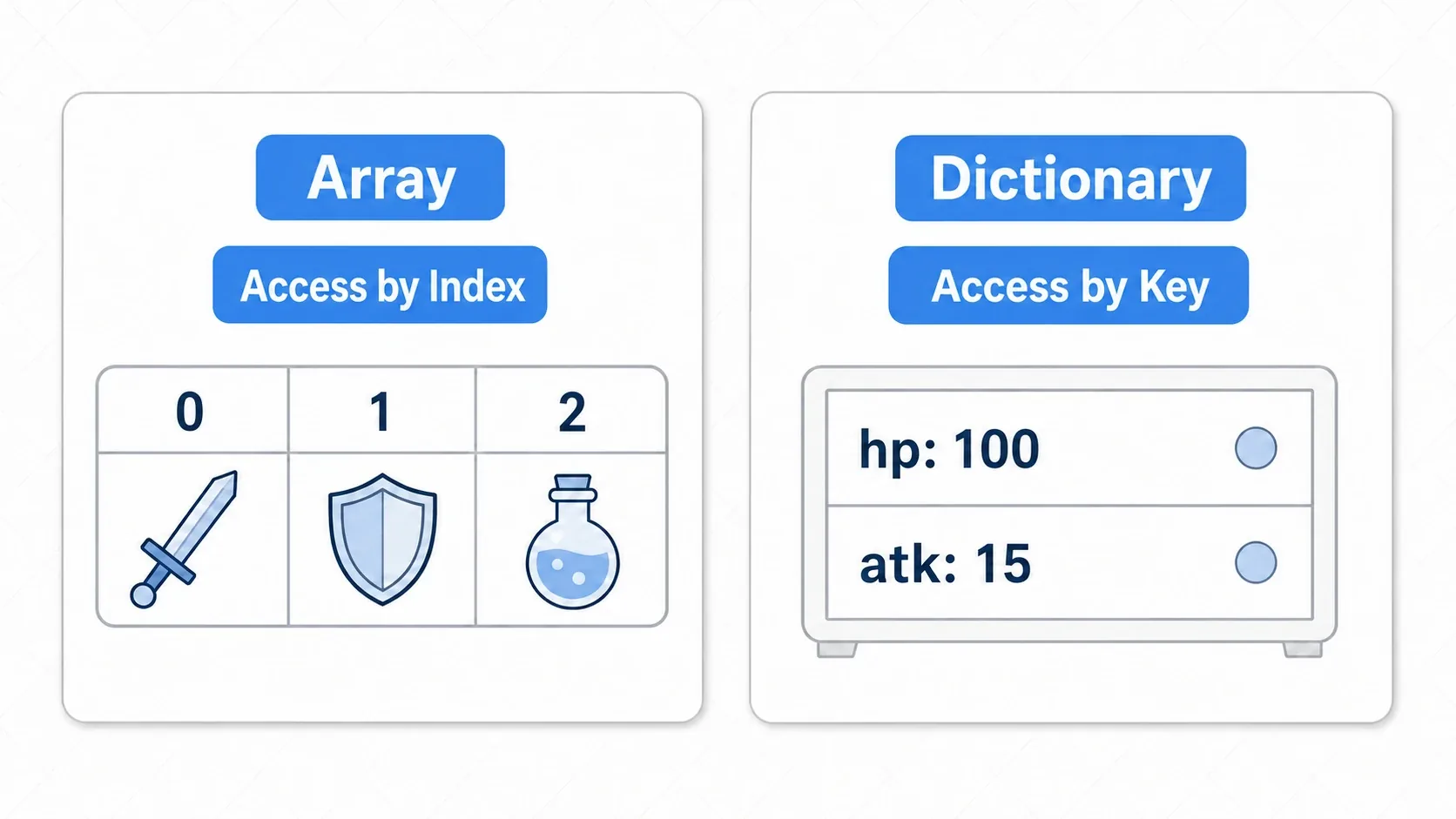
An array (Array) is a container that keeps values in order. You access them by index, starting at 0.
var items := ["Sword", "Shield", "Potion"]
print(items[0])          # -> Sword (index 0)
items.append("Helmet")   # Append to the end
for item in items:       # One element at a time
    print(item)
A dictionary (Dictionary) holds name (key) and value pairs. You access values by name instead of by index.
var stats := {"hp": 100, "atk": 15}
print(stats["hp"])       # -> 100 (the value for the key hp)
stats["def"] = 8         # Add a new pair with the key def
The rule of thumb is "array when order matters, dictionary when you want to look things up by name." When you need more structured data, custom resources become an option.
Hands-On: Writing Enemy Health Logic
Combine everything so far and you can already build a small system. A slime in an RPG, a mook in an action game, an enemy ship in a shmup: all of them need the same logic, where the enemy has HP, damage reduces it, and it dies at zero. Let's write it.
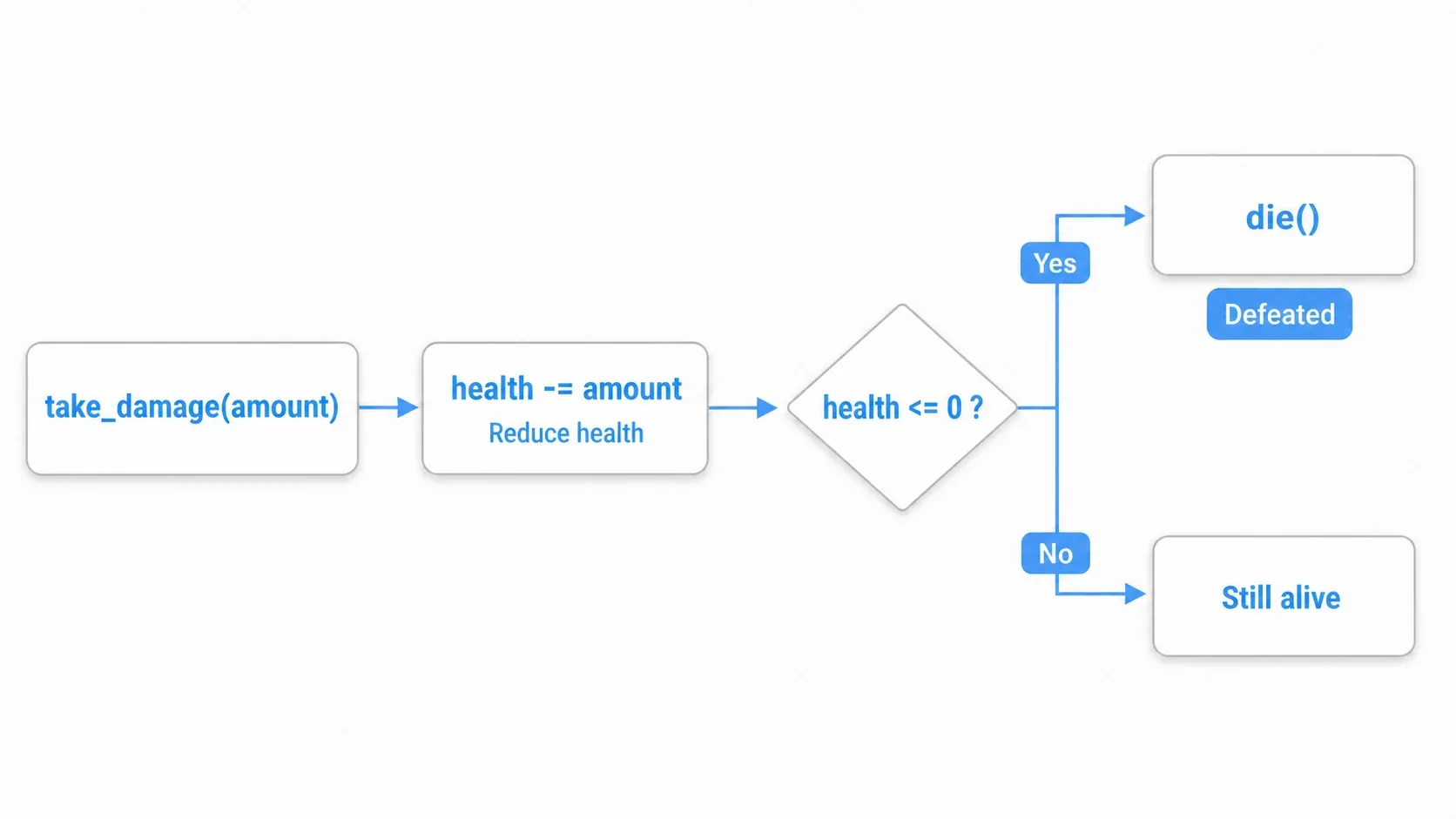
extends Node

var health: int = 30            # Variable: the enemy's health
const MAX_HEALTH := 30          # Constant: the maximum value

# Function: take damage (parameter amount, no return value)
func take_damage(amount: int) -> void:
    health -= amount            # Reduce health
    print("Remaining HP: ", health)
    if health <= 0:             # Control flow: die at 0 or below
        die()

func die() -> void:
    print("Enemy defeated!")
    queue_free()                # Remove itself
There are two points worth noting.
- Syntax gives you parts, and combining them gives you systems: just three basics,
var(hold health),func(package logic), andif(branch on a condition), produced a working enemy behavior. Even the most complex game is built this way. - Learn by running it: printing values with
print()as you write bit by bit is how the syntax sinks in. When you hit an error, the debugging article will help.
Bonus: Good to Know for Later
Once you start using these basics, you'll run into the following next steps. Just knowing the names now makes the road ahead clearer.
- Types make code safer and faster:
varworks without a type, but adding one catches mistakes earlier and runs faster too. Static typing covers the details. - Nodes talk to each other through signals: to tell other parts of the game that an enemy died, you use signals rather than
print. Node communication with signals is the way in. - Similar to Python, but not Python: indentation-based structure and colons look Pythonic, but GDScript is Godot's own language with
Vector2andNodebuilt in. Python experience helps you get the feel, but Python code won't run as-is.
Summary
- Variables are boxes for data. Create them with
var, and adding a type (int/float/Stringand so on) keeps them safe. Useconstfor values that never change - Functions are units of logic defined with
func. They take ingredients as parameters and return results via-> type(use-> voidwhen nothing comes back) - Control flow means
if(branching),for/while(repetition), andmatch(sorting by value) - Arrays
[]group data by order, dictionaries{}group it by name - Syntax gives you parts. Combining them is all it takes to build something like enemy health logic
It may feel hard at first, but writing and running short pieces of code makes it stick naturally. Use these as your tools and start adding simple behaviors and rules to your game.
Further Reading
- Complete Guide to Static Typing in GDScript: making code safe and fast with types
- Scenes and Nodes in Godot - A Complete Guide to the Basics: the foundation your scripts attach to
- Node Communication With Signals: the step beyond
print - Setting Up VSCode / Cursor as Godot's External Editor: writing GDScript in the editor you're used to
- GDScript Array and Dictionary Basics: adding, finding, and removing items
- Godot Learning Roadmap: what to learn next, and in what order
- Godot official docs: GDScript basics: the primary source on syntax