In Choosing the Right 2D Physics Body we established that CharacterBody2D is the right node for characters whose movement you control in code, like players and enemies.
So once you've picked CharacterBody2D, how do you choose the Motion Mode setting in the Inspector? Get it wrong and you end up with flaky floor detection in a side-scroller, or a top-down game whose code is tangled up with floors and gravity it never needed.
What You'll Learn
- The difference between
GroundedandFloating- Why Motion Mode is not a gravity on/off switch
- How your code changes between a platformer and a top-down game
- How
is_on_floor(),up_direction, andmove_and_slide()relate to each other
Tested with: Godot 4.7
Motion Mode decides how collision surfaces are interpreted
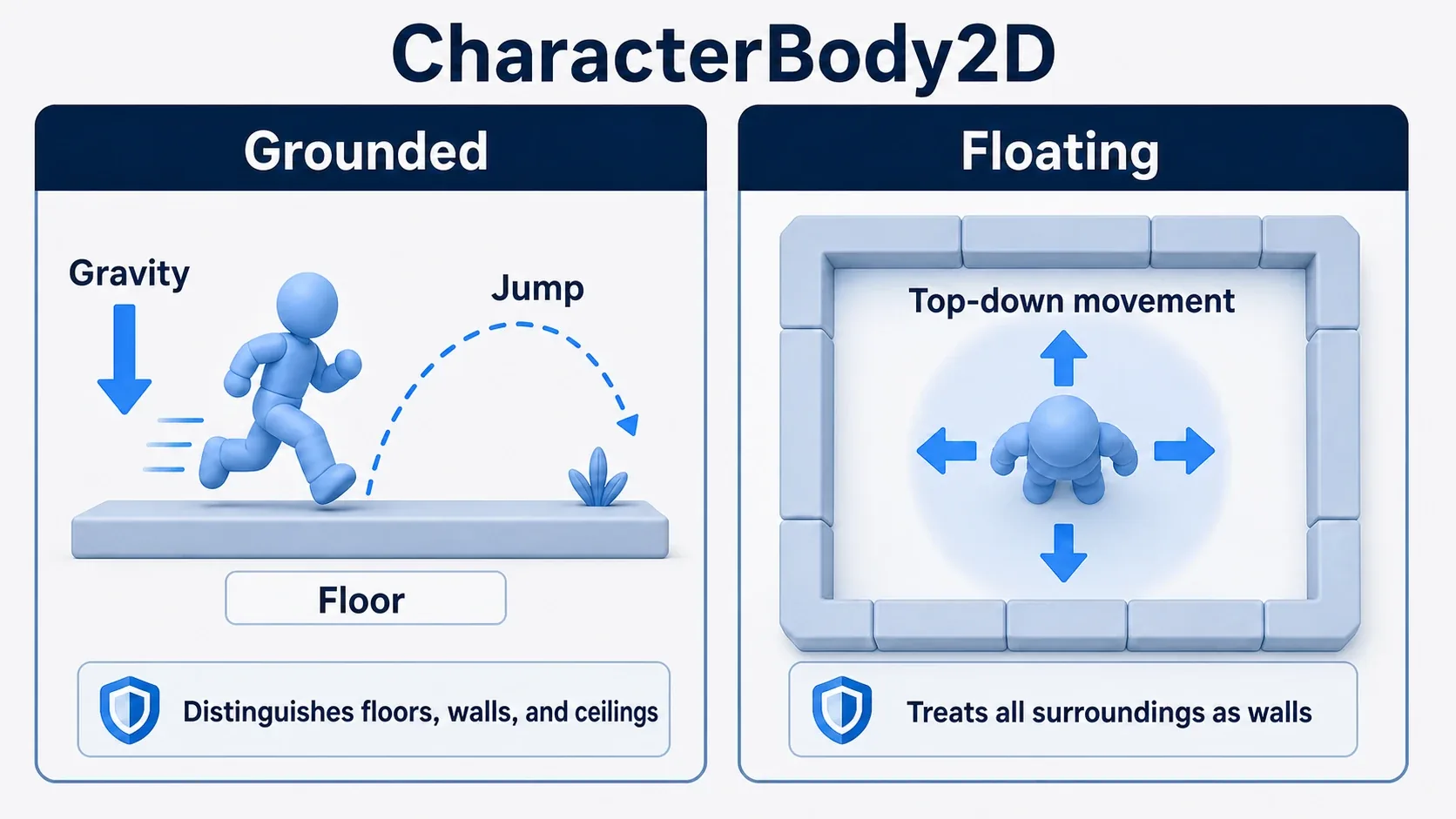
Roughly speaking, Motion Mode decides how move_and_slide() treats the surfaces it collides with.
With Grounded, collision surfaces are classified as floors, walls, and ceilings. That makes checks like is_on_floor(), is_on_wall(), and is_on_ceiling() easy to use.
With Floating, the idea of a floor basically doesn't apply. It suits situations where the character moves the same way in every direction, like a top-down game, and where you mostly want collisions treated as "walls."
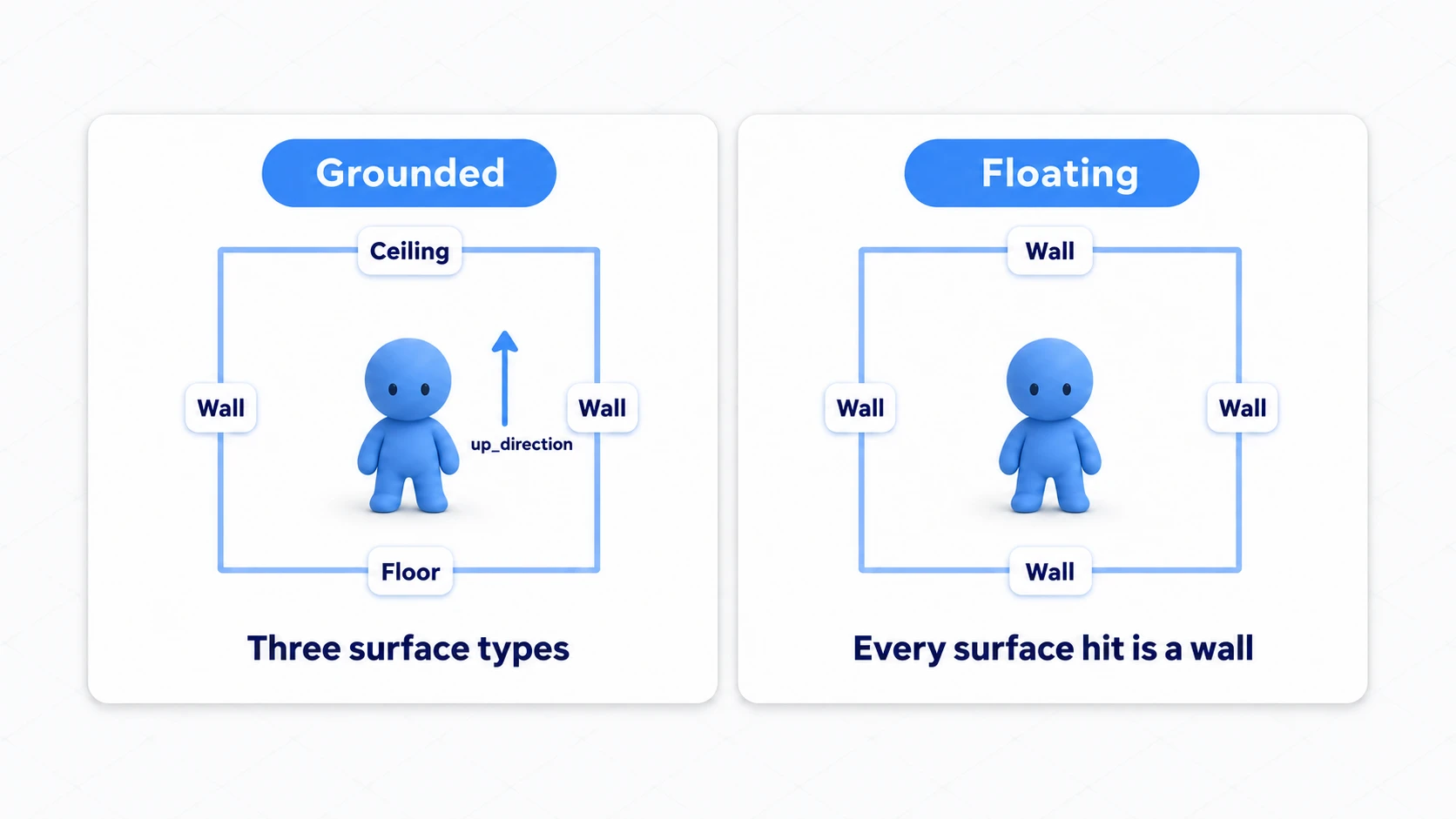
The important part is that switching to Grounded does not apply gravity for you. CharacterBody2D is not a node that hands movement over to the physics engine the way RigidBody2D does. If you want the character to fall, add gravity to velocity.y in code.
if not is_on_floor():
    # Gravity comes from your code, not from Motion Mode
    velocity.y += gravity * delta
It's less confusing if you think of Motion Mode as answering "is this collision surface a floor or a wall?" rather than "should gravity apply?"
Where to set it
You change Motion Mode from the Inspector while a CharacterBody2D is selected.
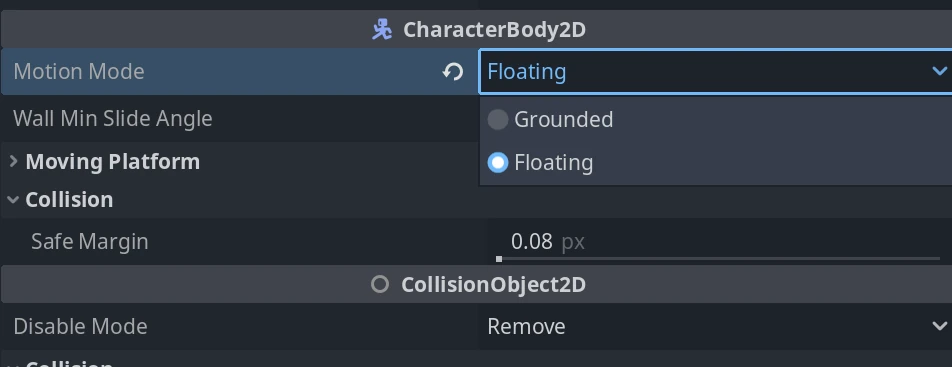
You can also set it from a script.
func _ready() -> void:
    # For a platformer
    motion_mode = CharacterBody2D.MOTION_MODE_GROUNDED

    # Use this instead for a top-down game
    # motion_mode = CharacterBody2D.MOTION_MODE_FLOATING
That said, setting it in the Inspector is usually enough. The code in this article spells it out for clarity, but in a real project it's often easier to follow when each character scene decides it in the Inspector.
Grounded: games with floors and jumping
Grounded suits side-scrolling games where you stand on floors, jump, walk up slopes, and bump into walls.
Typical examples:
- 2D platformers
- Metroidvanias
- Side-scrolling action games
- Action RPGs where gravity and floors matter
The basic code follows one order: gravity, jump, horizontal movement, move_and_slide().
extends CharacterBody2D

const SPEED := 260.0
const JUMP_VELOCITY := -420.0

var gravity: float = ProjectSettings.get_setting("physics/2d/default_gravity")

func _physics_process(delta: float) -> void:
    if not is_on_floor():
        # Even in Grounded, you add gravity to velocity yourself
        velocity.y += gravity * delta

    if Input.is_action_just_pressed("jump") and is_on_floor():
        # Only allow jumping while on the floor
        velocity.y = JUMP_VELOCITY

    var direction := Input.get_axis("move_left", "move_right")
    velocity.x = direction * SPEED

    # This moves the body and refreshes floor/wall/ceiling contact state
    move_and_slide()
is_on_floor() is updated based on the result of the previous move_and_slide(). In most player controllers you check the grounded state inside _physics_process() to decide the jump, then call move_and_slide() last, exactly as above.
Recipe: a platformer player
For a platformer, building things in this order keeps everything tidy.
- Set the
CharacterBody2DMotion Mode toGrounded - Add gravity to
velocity.y - Only allow jumping when
is_on_floor()is true - Set
velocity.xfrom the horizontal input - Call
move_and_slide()last
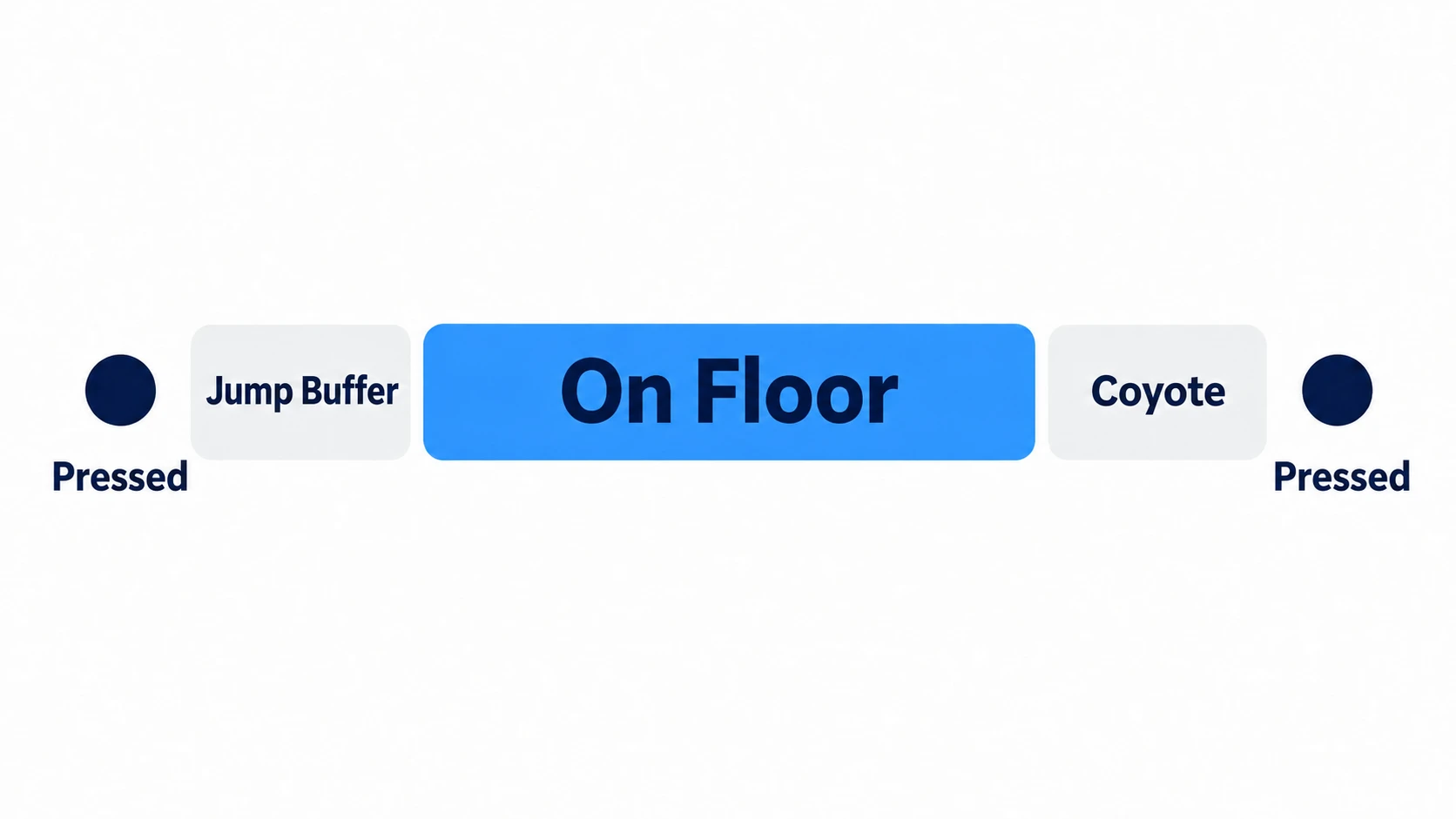
Once the code has this shape, it's easy to add variable jump height, coyote time, jump buffering, and slope handling later. How to build coyote time and jump buffering is covered in Jump Feel Basics. If floor detection is central to your design, starting from Grounded is the natural choice.
Floating: games that don't need floors
Floating suits characters that don't distinguish floors from ceilings, like in a top-down game.
Typical examples:
- Top-down RPGs
- Overhead action games
- Twin-stick shooters
- Spaceships with omnidirectional movement
In a top-down game it's simpler to build a movement vector from four-directional input than to think about gravity and is_on_floor().
extends CharacterBody2D

const SPEED := 220.0

func _ready() -> void:
    motion_mode = CharacterBody2D.MOTION_MODE_FLOATING

func _physics_process(_delta: float) -> void:
    # Turn the four-directional input into a single direction vector
    var input_vector := Input.get_vector(
        "move_left",
        "move_right",
        "move_up",
        "move_down"
    )

    velocity = input_vector * SPEED

    # In Floating, stopping at walls matters more than floor detection
    move_and_slide()
There's no gravity and no jumping in this code. The player moves in all four directions and stops when it hits a wall.
Recipe: a top-down RPG player
For a top-down RPG, think of it like this.
- Set Motion Mode to
Floating - Set up
move_left/right/up/downin the InputMap - Build the movement direction with
Input.get_vector() - Set the speed with
velocity = input_vector * speed - Let
move_and_slide()handle wall collisions
This shape covers four-directional movement, diagonal movement, and gamepad support all at once. Since floor detection never enters the picture, side-scroller jump code never gets mixed in and the script stays readable.
Choosing by genre
Looking at it by genre makes the Motion Mode choice a lot clearer.
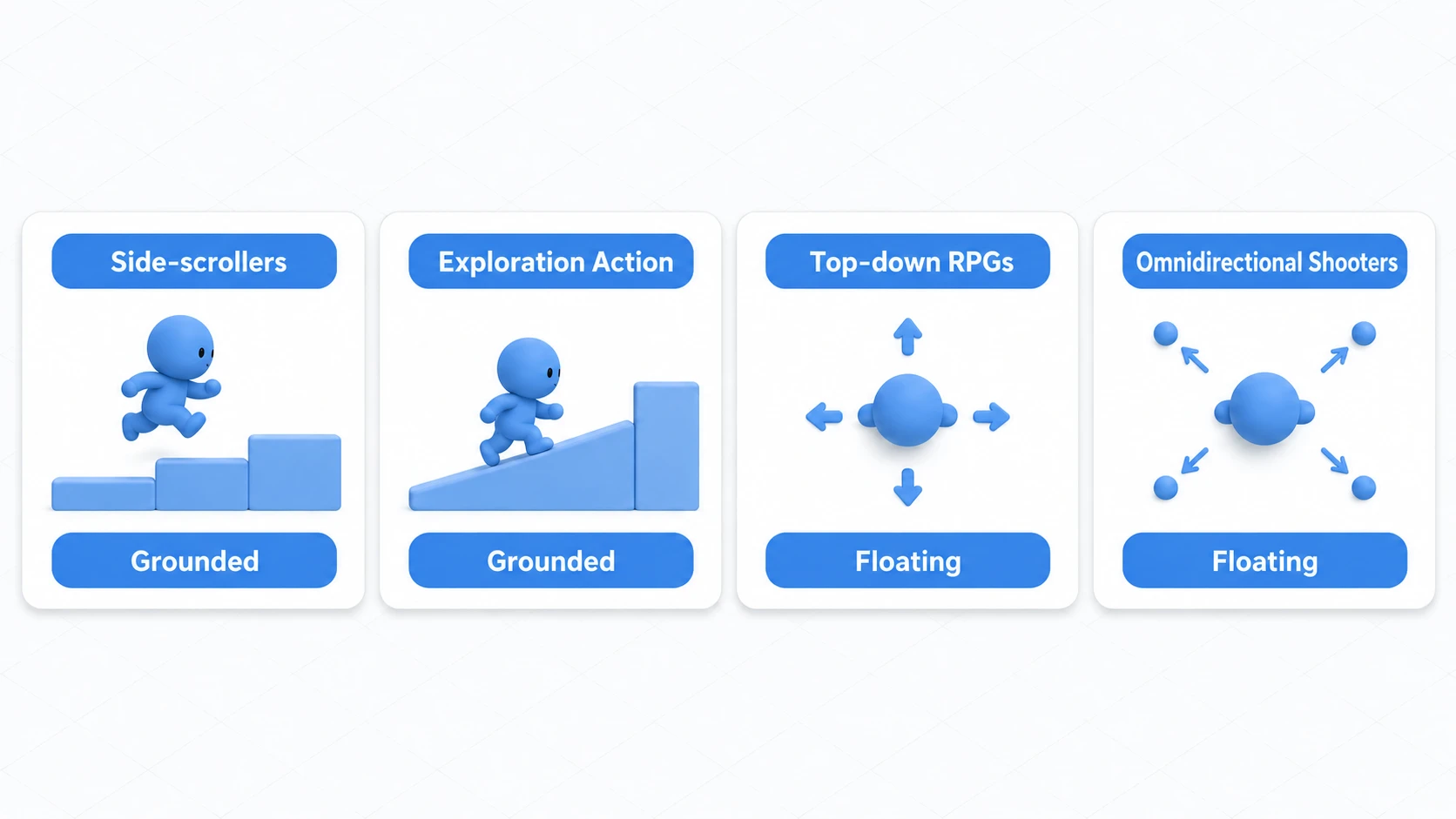
| Genre | Default choice | Why |
|---|---|---|
| Platformer | Grounded | Floors, jumping, falling, and slopes matter |
| Metroidvania | Grounded | Uses walls, floors, ceilings, and jump control |
| Top-down RPG | Floating | Four-directional movement matters more than floor detection |
| Twin-stick shooter | Floating | Movement and aim directions are handled independently |
| Spaceship game | Floating | Suits omnidirectional movement free of gravity |
When in doubt, ask "are jumping and floor detection central to this game?" If yes, go with Grounded. If not, try Floating first.
How the code structure differs
The difference between Grounded and Floating shows up in the flow of your code too.
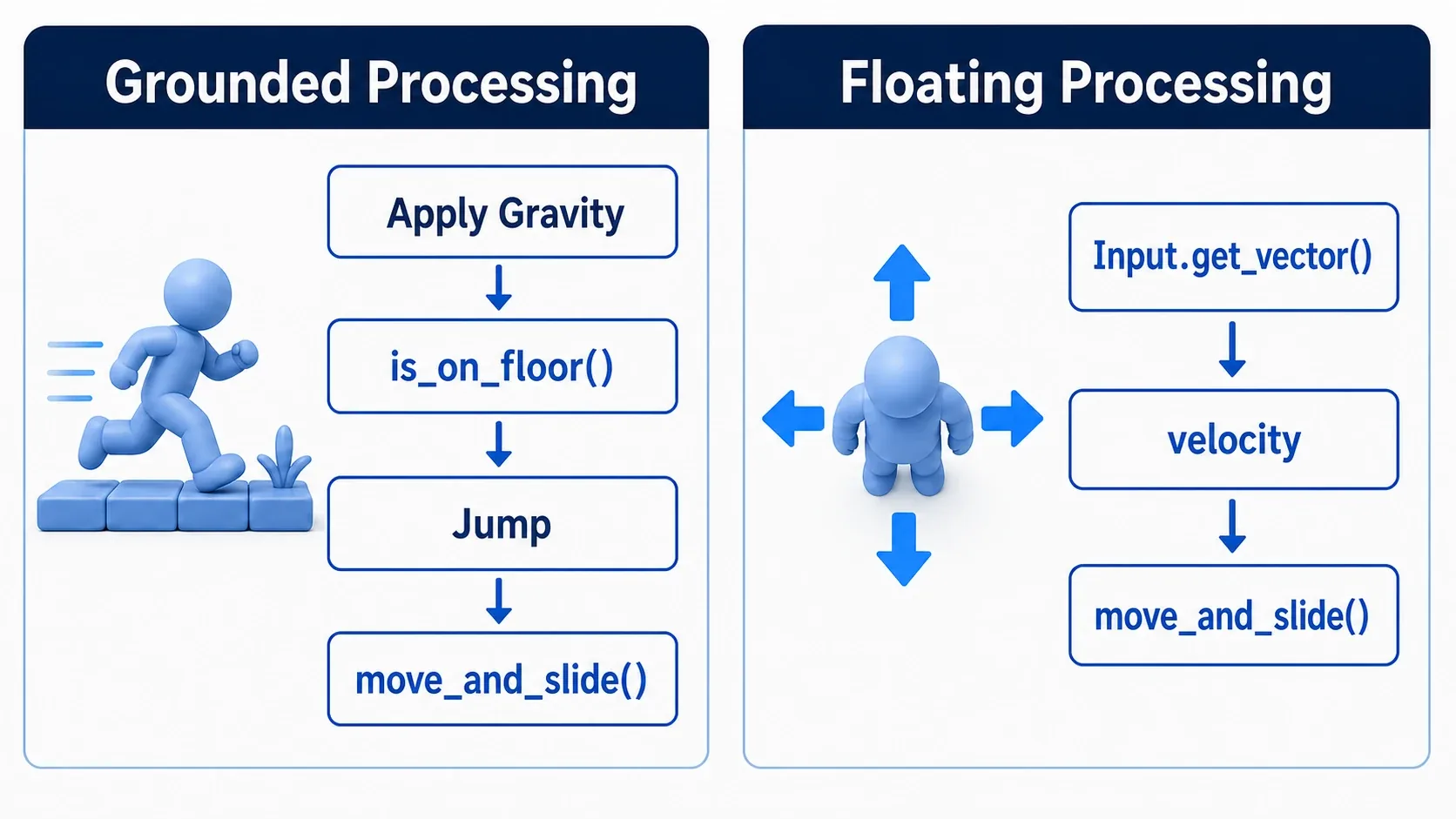
With Grounded, there's more vertical state to manage.
- Add gravity
- Check whether you're on the floor
- Decide whether a jump is allowed
- Account for ceilings and slopes
With Floating, computing the movement direction is the main job.
- Read the four-directional input
- Build the velocity vector
- Stop on wall collisions
- Handle aim or facing separately if needed
Separating these two mindsets up front keeps is_on_floor() out of your top-down code and keeps unnecessary omnidirectional handling out of your side-scroller code.
Common Pitfalls
It's set to Grounded but nothing falls
Grounded is not a "gravity on" switch. If nothing falls, check that you're adding gravity in code, like velocity.y += gravity * delta.
Checking is_on_floor in a top-down game
In a top-down game, whether the character is standing on a floor almost never matters to the game logic. If your design leans on is_on_floor(), side-scroller thinking has probably crept in.
In particular, if you switch to Floating but keep the side-scroller gravity code, is_on_floor() is always false, so velocity.y keeps growing while the character stands on the ground. In under a second, it can no longer move even when you press left or right. In Floating, set velocity fresh every frame.
Top-down games care about things like hitting a wall, touching an enemy or item, or entering an attack range. Combine Area2D and RayCast2D as needed.
Assuming Floating means passing through everything
Floating still handles wall collisions through move_and_slide(), as long as the CollisionShape2D and the collision layers/masks are set correctly.
If the character passes through things, check these before blaming Motion Mode.
- Is there a
CollisionShape2D? - Do the layers and masks line up?
- Are you calling
move_and_slide()? - Are you overwriting
positiondirectly?
Switching Motion Mode too often
Some unusual games switch modes, using Grounded normally and Floating underwater or in space. It gets complicated fast when you're starting out, though.
If you do switch modes, you also need to switch gravity, input, jumping, friction, and animation along with it. Changing motion_mode alone doesn't guarantee the controls will feel right.
Bonus: Good to know for later
up_direction decides which way is "up"
In Grounded, up_direction affects floor/wall/ceiling classification. For a normal 2D game, leaving it at Vector2.UP is fine.
The setting becomes important in games about walking on walls, shifting gravity, or walking around the surface of a planet. For an ordinary platformer, though, getting stable default movement working comes first.
floor_snap_length affects footing stability
In Grounded, a character can look like it briefly leaves the floor on slopes and small steps. floor_snap_length controls how strongly the body snaps down to the floor.
Tuning this value can stabilize ground contact on slopes and downhill sections. Before you start fiddling with it, though, confirm that your basic gravity, jumping, and CollisionShape2D are correct.
Area2D has a separate job
In top-down games, a common setup is a CharacterBody2D in Floating mode for the character body, with Area2D for attack ranges and item pickup detection.
Think of CharacterBody2D as "the body that moves and bumps into walls" and Area2D as "the region that detects contact." Splitting them keeps responsibilities clean.
Summary
- Grounded suits side-scrollers where you want floors, walls, and ceilings distinguished
- Floating suits top-down and omnidirectional movement where floors don't apply
- Motion Mode isn't an automatic gravity toggle. It affects how
move_and_slide()interprets collisions - Even in Grounded, gravity is added to
velocityin code - For top-down games,
Input.get_vector()plus Floating is the simple combination
When you can't decide, ask yourself: "are jumping and floor detection a central mechanic in this game?" If they are, use Grounded. If not, start from Floating.
Further Reading