"I want to stagger every enemy on screen at once." "I want to tell whether the player's attack hit an enemy, a breakable crate, or an item." Building a game turns up situation after situation where you want to handle things by role.
Try to solve this with parent-child relationships or name checks like if body.name == "Slime" and you'll be editing code every time you add one more enemy type. It falls apart fast. Godot's Groups feature is what helps here. Stick a role tag on a node and you can check and command things by tag, regardless of their type or class.

What You'll Learn
- Groups as a "role tagging" system independent of the scene hierarchy
- Registering with
add_to_group()and doing flexible checks withis_in_group()- Broadcasting commands to a group with
call_group()- When to use metadata,
class_name, or duck typing instead
Tested with: Godot 4.7
What are groups? A "tagging" system for roles
A group is a system for sticking a virtual tag on a node, independent of the scene tree hierarchy and the node's type. A CharacterBody2D can be tagged "enemies," an Area2D can be tagged "collectible_items," and different classes end up grouped under the same tag.
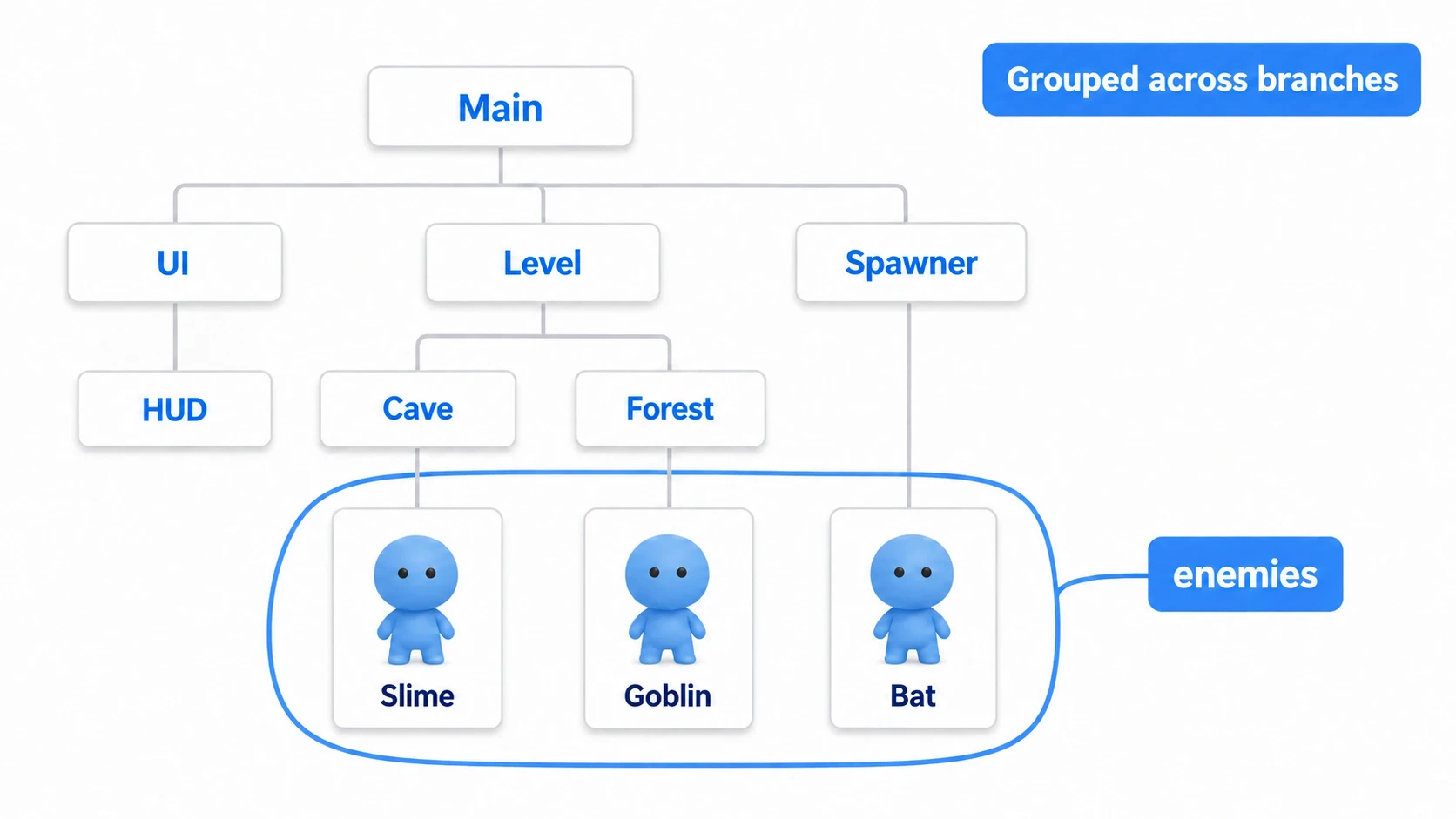
The key point is that this classification cuts across the tree structure. Wherever a node sits in the tree and whatever type it is, tagging it "enemies" makes it one of the crowd. Groups give you three benefits.
- Classify by role: instead of being bound by parent-child relationships, you group things by meaning, like "enemies" or "collectibles"
- Operate in bulk: fetching every member of "enemies" and commanding them together is easy to write
- Stay decoupled: nodes coordinate through a shared tag without holding direct references to each other
A single node can belong to multiple groups. Put an enemy in both "enemies" and "rangers" and you can address all enemies or only the ranged ones.
Two ways to add a node to a group
There are two ways to add a node to a group: the editor and code. Use the editor for static nodes you've already placed, and code for nodes spawned at runtime.
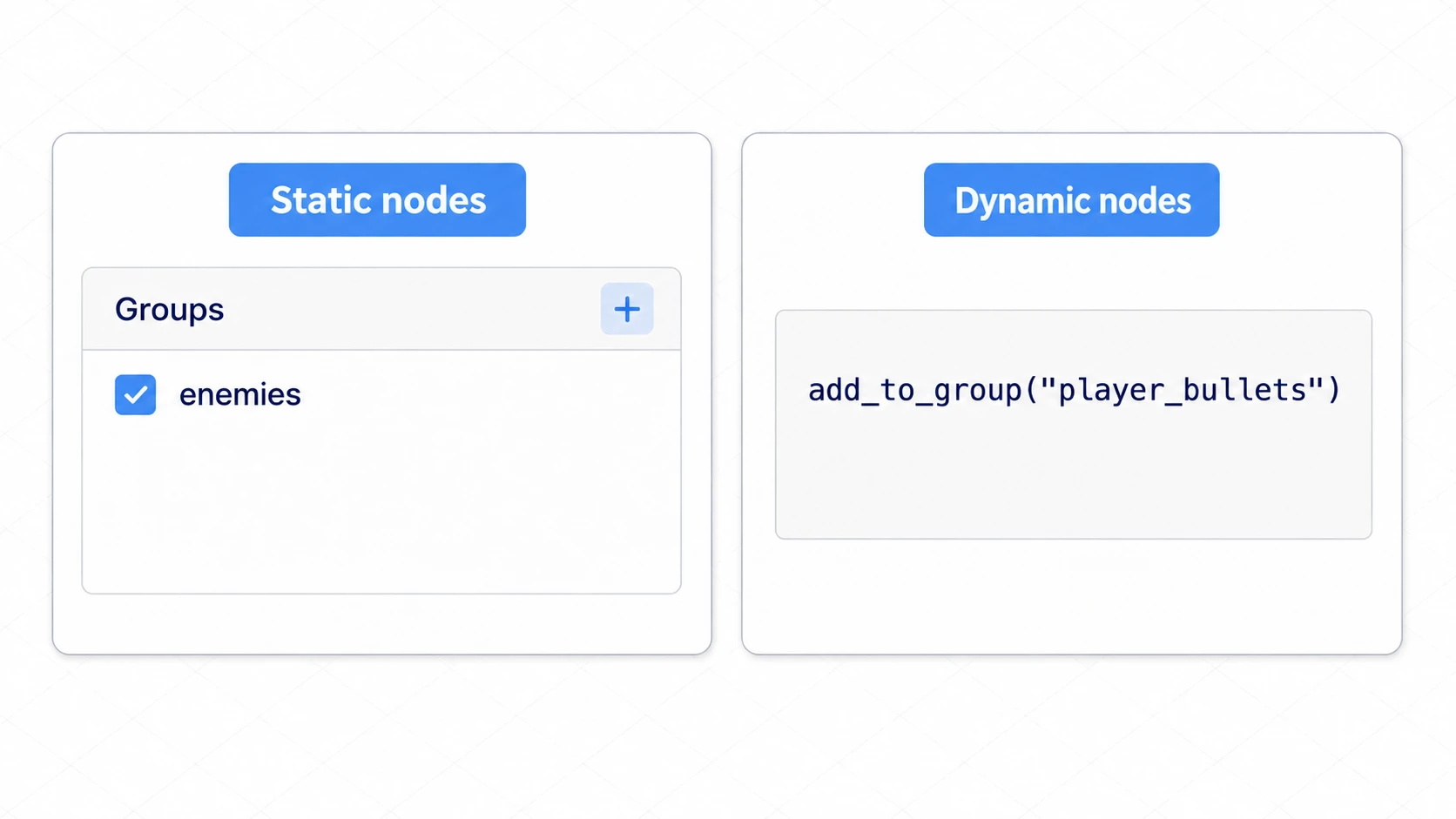
In the editor (for static nodes): select a node in the scene tree, press + in the Groups dock next to the Inspector, and create a group name (e.g. enemies). Once created, the selected node is checked as a member.
In code (for dynamic nodes): nodes spawned at runtime, like bullets and effects, register themselves with add_to_group().
# bullet.gd
func _ready() -> void:
    add_to_group("player_bullets")   # Register with the group on spawn

func _on_hit_target() -> void:
    remove_from_group("player_bullets")   # Leave when no longer needed (optional)
    queue_free()
Checking "what is this thing" with is_in_group
Groups shine brightest when checking what you collided with. With is_in_group(), you can tell "was that an enemy or a breakable crate?" without knowing the concrete class.
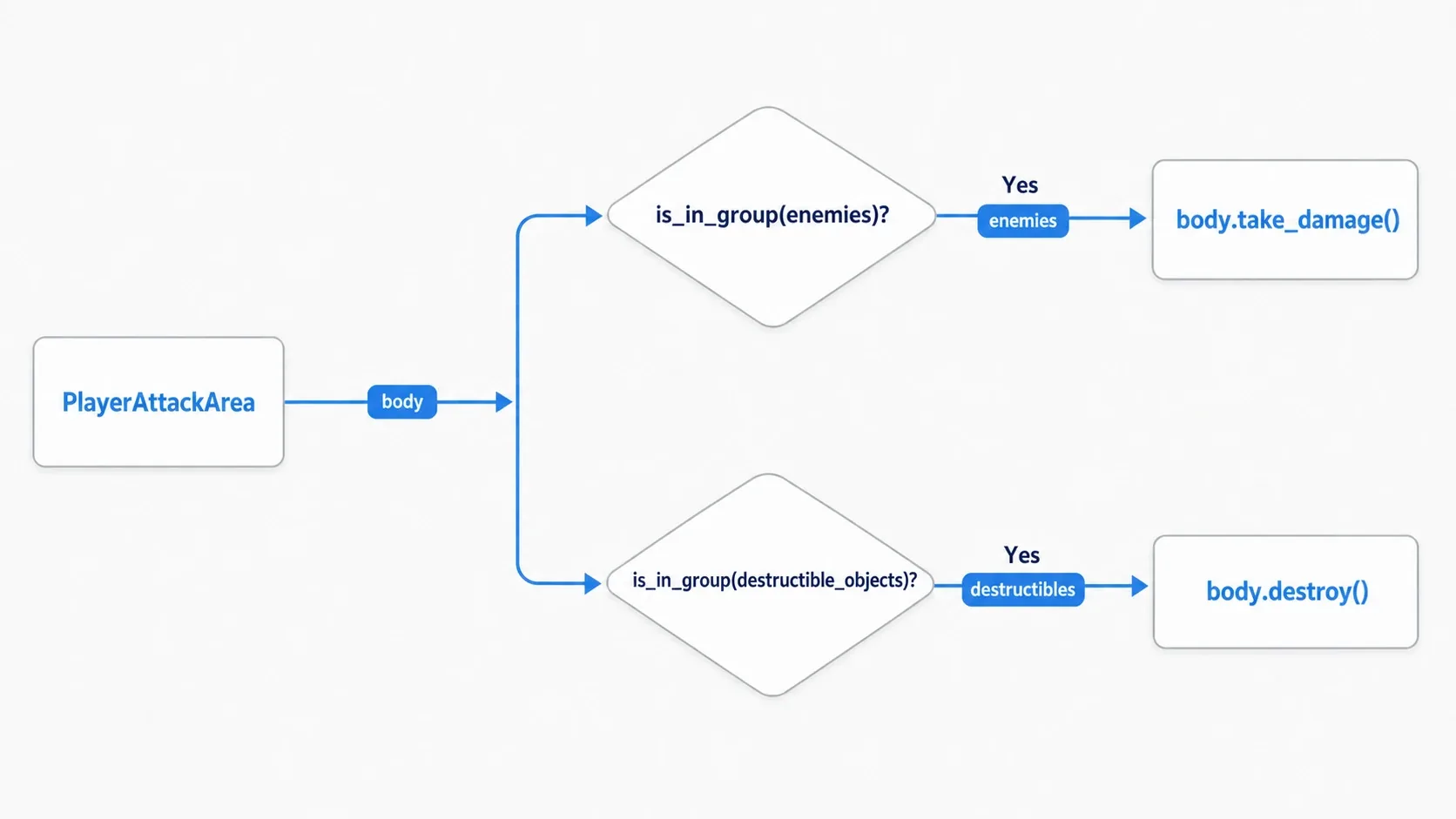
# player_attack_area.gd (Area2D: the player's sword hitbox)
func _on_body_entered(body: Node) -> void:
    # Does it carry the "enemies" tag and implement take_damage?
    if body.is_in_group("enemies") and body.has_method("take_damage"):
        body.take_damage(attack_power)
    # Break it if it's a destructible object
    elif body.is_in_group("destructible_objects") and body.has_method("destroy"):
        body.destroy()
The beauty of this code is that PlayerAttackArea knows nothing at all about the concrete classes it attacks (Slime, Goblin). Add a new enemy and this script needs no changes: just put the new node in the "enemies" group and attacks land on it. Combining is_in_group() (tag check) with has_method() (behavior check) makes it safer still.
Hands-On: commanding every enemy on screen at once
A bomb item that staggers every enemy on screen, an alarm that puts all guards on alert, a turn-based status effect applied to the whole enemy party: "send the same command to every node with a given role" comes up constantly, whatever the genre. With get_tree().call_group(), you can call a method on every group member at once, without knowing how many there are or where they are.
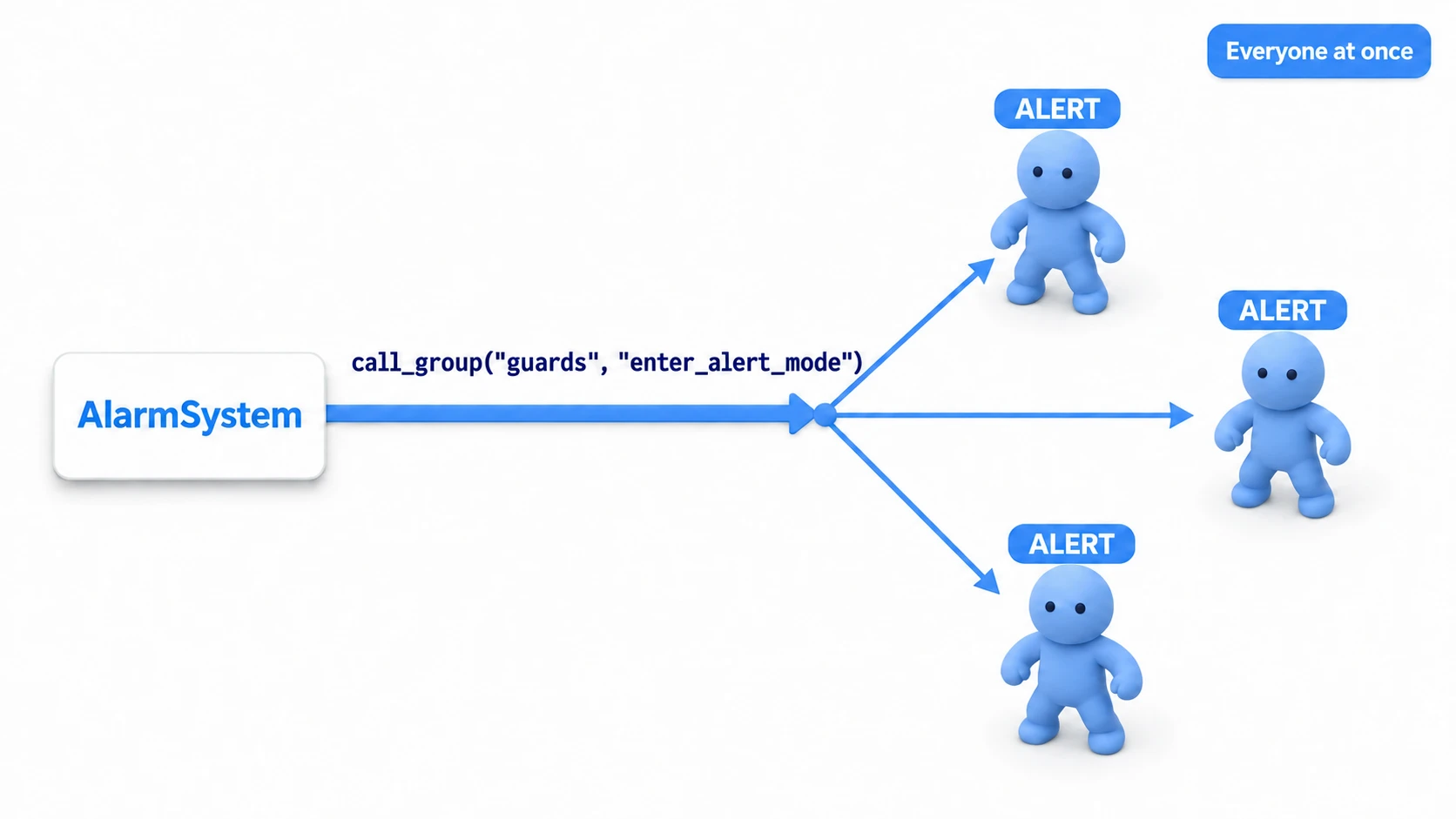
Let's build an alarm system. The commanding side calls call_group() exactly once.
# alarm_system.gd
func _on_alarm_triggered() -> void:
    # Call enter_alert_mode on everyone in the "guards" group, with an argument
    get_tree().call_group("guards", "enter_alert_mode", get_player_last_position())
The receiving side (each guard) only has to join the group and provide the method that gets called.
# guard.gd (CharacterBody2D)
func _ready() -> void:
    add_to_group("guards")   # Join guards on spawn

func enter_alert_mode(target_position: Vector2) -> void:
    state = State.ALERT              # Switch state to alert
    nav_agent.target_position = target_position   # Head to the last known position
There are two points worth noting.
- The sender doesn't need to know how many there are:
AlarmSystemdoesn't care about the number or positions of guards in the scene. Add or remove guards and that onecall_group()line is unchanged, which makes the design robust to changing enemy counts. - Nodes without the method are silently skipped:
call_group()doesn't error and does nothing if a target lacks the method. The flip side is that a missed call is easy to overlook, so either keep every node in the group consistent about having the method, or check withhas_method().
The smart "alert then pursue" behavior of each individual guard belongs to State Machines for AI and Player States, and moving to a destination belongs to Pathfinding with NavigationAgent2D. Let groups handle "sounding the order" and leave each node's brain to itself, and the division of labor stays clean.
Common mistakes and best practices
| Common mistake | Best practice |
|---|---|
Calling get_nodes_in_group() inside _process | If you only need to command them all, use call_group() or signals. It doesn't search the whole scene, but it builds a new array on every call |
| Handling every check with groups | Groups suit dynamic classification. Use class_name for static type checks and metadata for attaching values |
| Hardcoding group names as string literals | Make them constants like const ENEMY_GROUP := "enemies" to prevent typos and missed renames |
Hardcoded group names in particular bite you quietly. Write "enemies" in dozens of places and one typo silently disables just that one check. Keep them in constants or an autoload and a rename only touches one spot.
When to use other approaches
Groups aren't universal. Depending on the goal, another mechanism can be simpler and faster.
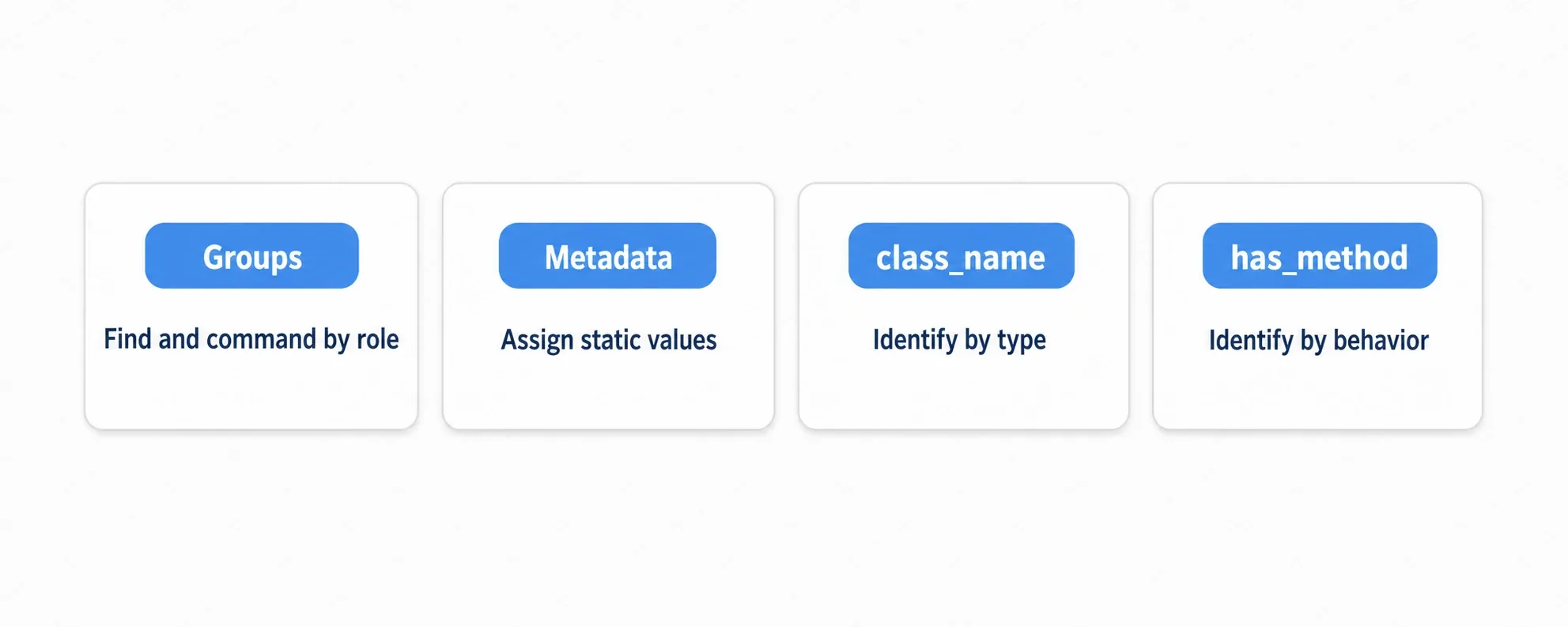
| Approach | Good at | Where it fits |
|---|---|---|
| Groups | Searching and commanding in bulk by role | Dynamic roles like "all enemies" or "collectibles" |
Metadata set_meta/get_meta | Attaching a static value to a node | Fixed per-instance values like item_id |
class_name | Strict type checks (is Enemy) | Working with instances of a specific class |
Duck typing has_method | Branching on behavior without knowing the type | "If it has take_damage, do this" |
These are complementary, not competing. In fact, the collision check earlier already combined them: check the role with a group, then confirm the behavior with has_method(). Roles go to groups, types to class_name, capabilities to has_method, values to metadata. Using each where it's strongest makes for a clean design.
Note that controlling the physical question of "what collides with what" isn't a job for groups. That belongs to Collision Layers and Masks. Groups handle the logic after a collision, layers filter the collision itself.
Bonus: Good to know for later
- How this pairs with signals: groups suit "issuing an order to everyone from here." For the opposite direction, telling various places that something happened, signals fit better. Orders go through groups, notifications through signals.
- Group order follows the tree:
get_nodes_in_group()returns nodes from the top of the scene tree down. Reordering the tree changes the order, so avoid giving it meaning like "[0]is the leader." call_grouphas a flags variant:call_group_flags()gives you control such as deferring the calls (running them all at the end of the frame). That helps when broadcasting to a large number of nodes.
Summary
- Groups are "role tagging" independent of the scene hierarchy. Different classes can share the same tag
- Add nodes via the editor (static) or
add_to_group()(dynamic) is_in_group()lets you check the other object's role and branch without knowing its concrete classget_tree().call_group()broadcasts to every group member. The sender needs to know neither the count nor the positions- If you only need to command them all,
call_group()is simpler than looping overget_nodes_in_group() - Combine with metadata,
class_name, andhas_method, each where it fits best
Start by putting your enemies in an "enemies" group and checking is_in_group("enemies") from the player's attack. That feeling of "adding classes without adding code" is what makes groups genuinely nice to use.
Further Reading
- Communicating Between Nodes with Signals - notifications go through signals, orders through groups
- State Machines for AI and Player States - the brain inside each node that receives the order
- Collision Layers and Masks - how physical collision filtering differs
- Using Marker2D as a Management Node - Placing markers for spawn and respawn points in the editor
- Godot Docs: Groups - the primary source on groups